In order for your Activities, Resources, etc. to appear in color on your Calendar, you must assign default colors.
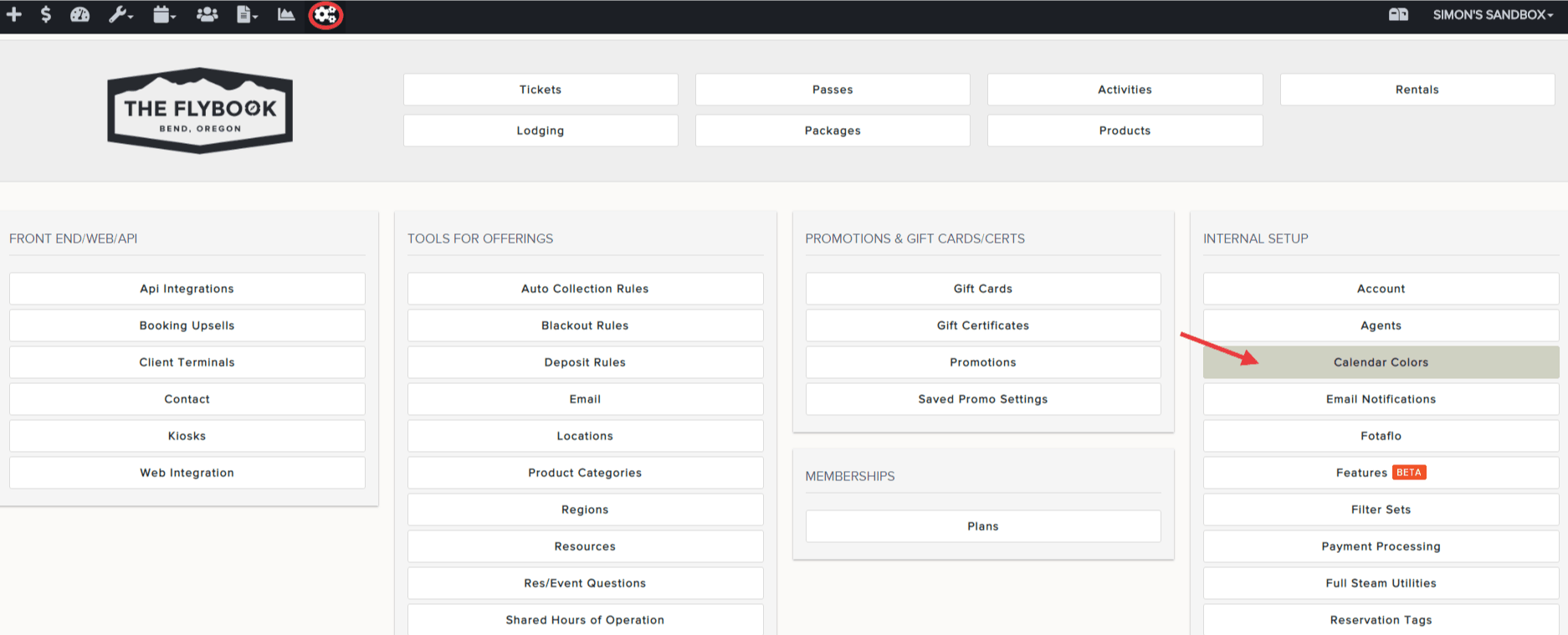
- Go to SETUP and click on Calendar Colors
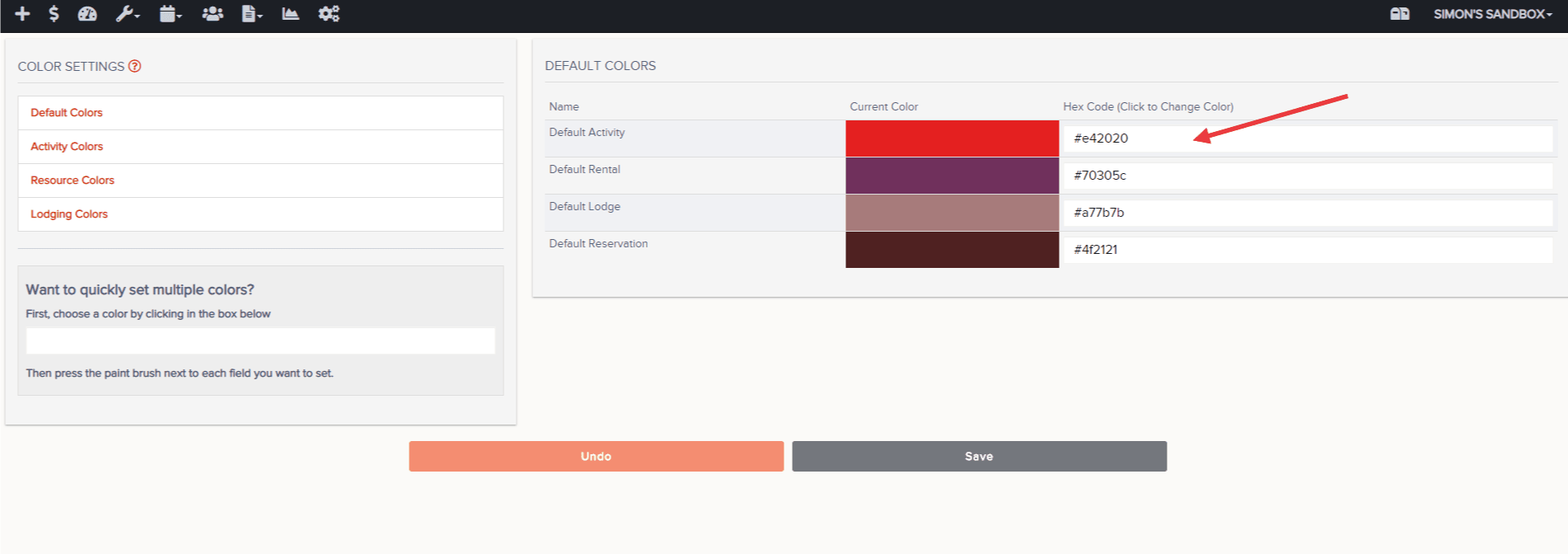
- Click on the white text box next to your Default Activity to assign a color
- Repeat this process as necessary (i.e. Rentals, Lodging, etc.)
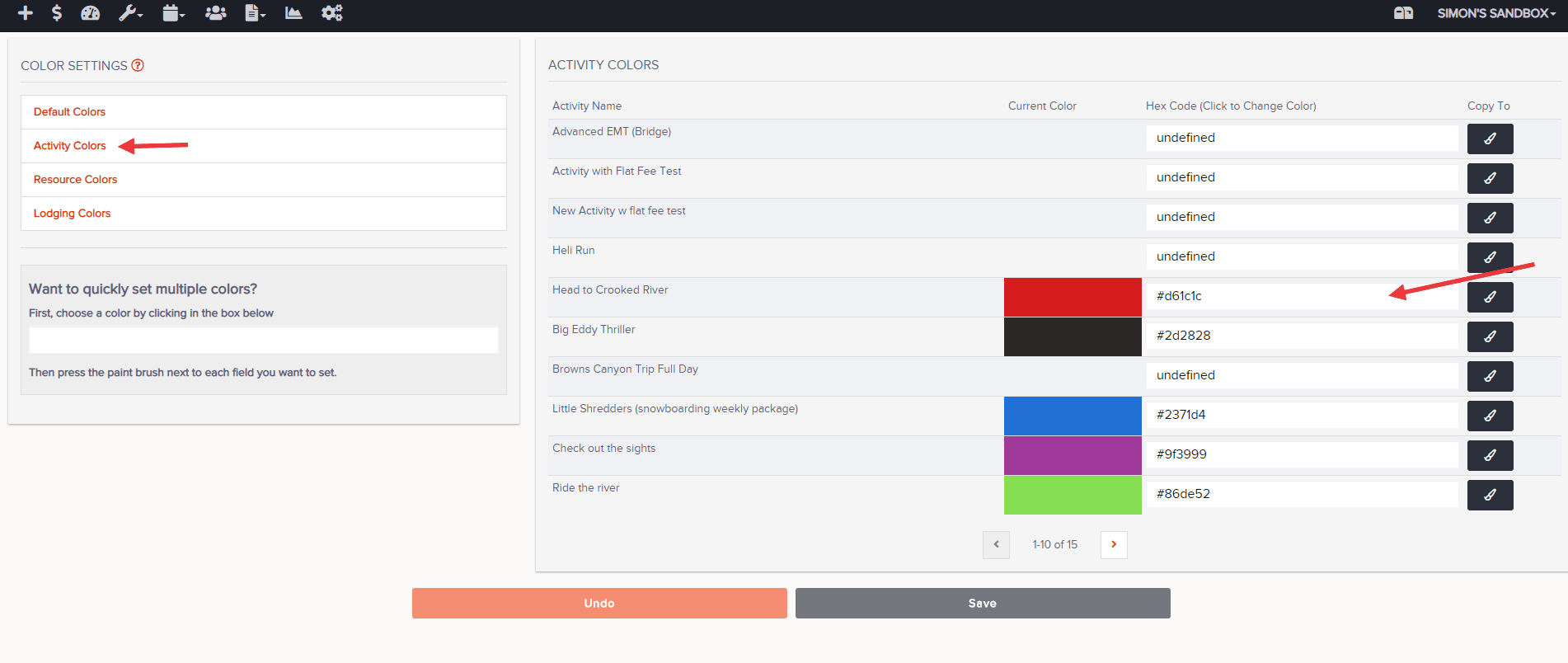
- Optional: select "Activity" from left menu to assign colors based on specific items booked. Repeat as necessary (i.e. Rentals, Lodging, etc.)
- Hit "Save Changes" at the bottom of your screen when finished
Optional: