To book a package follow the below steps...
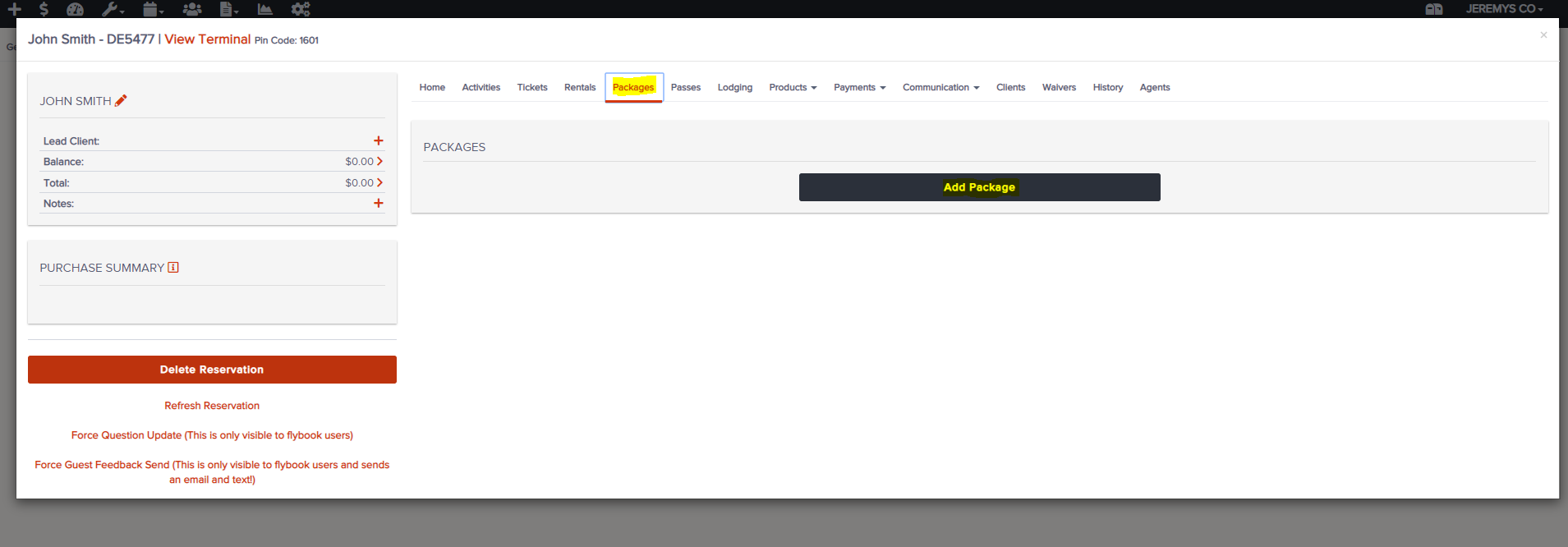
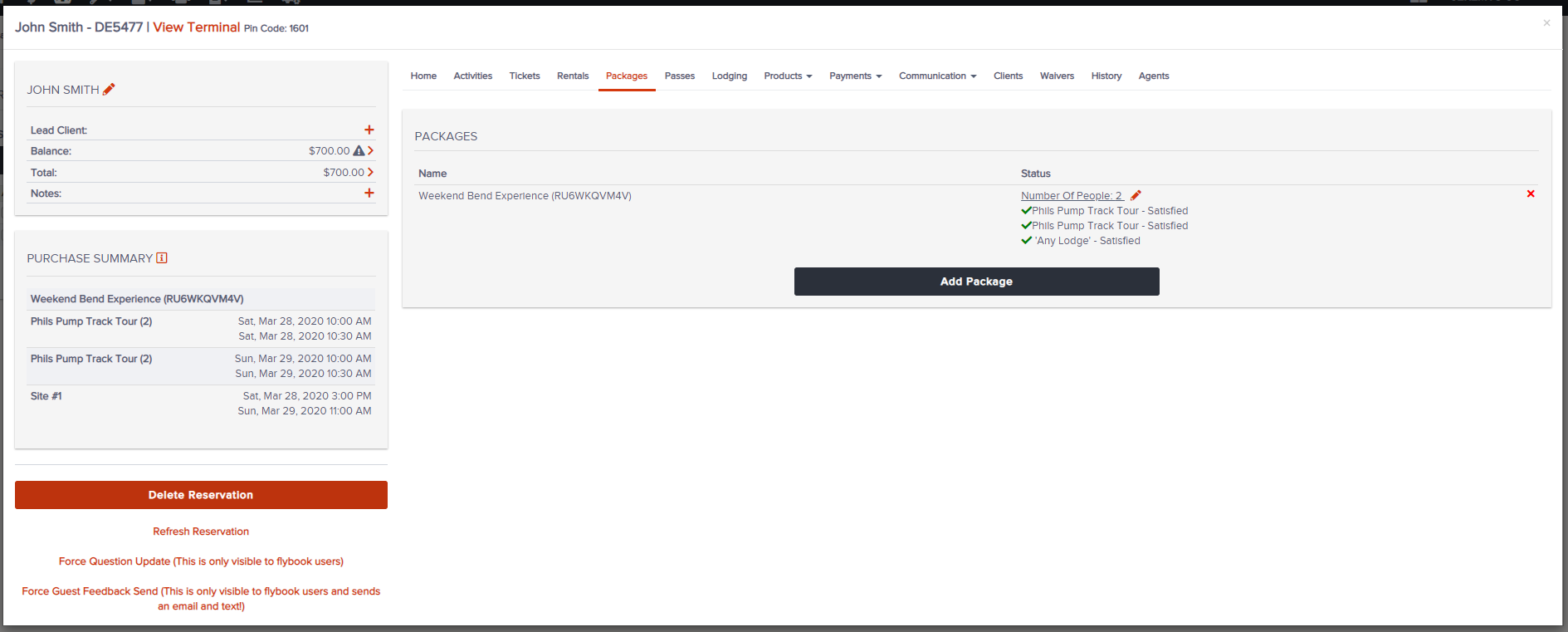
1. Find the desired reservation, go to the Packages tab and click "Add Package"
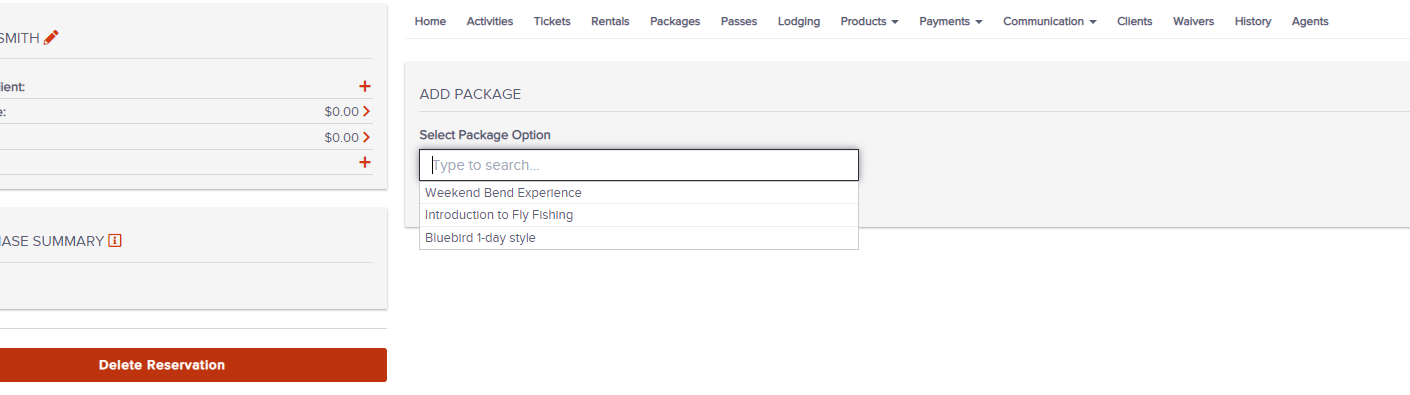
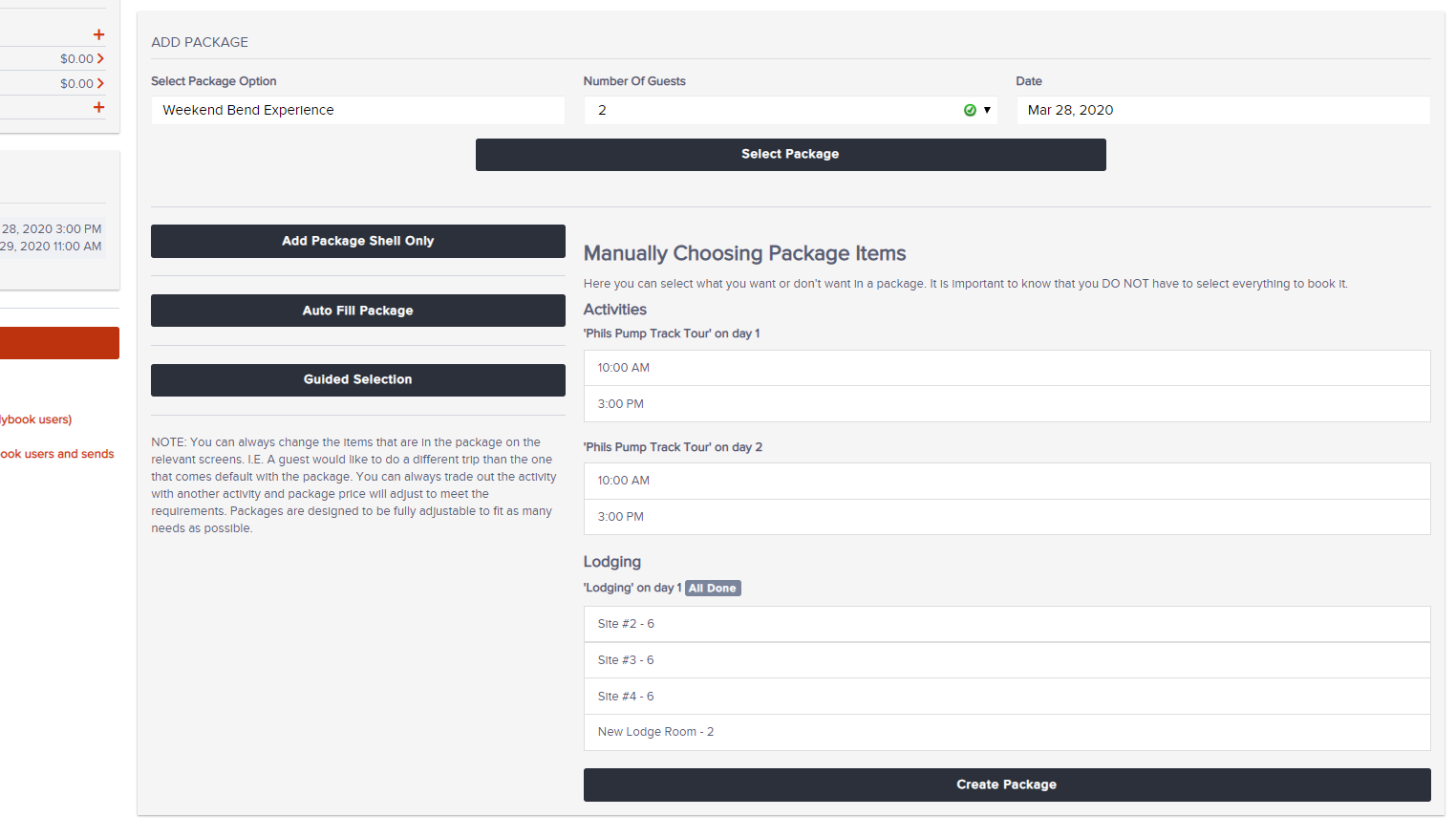
2. Click the package you would like to book
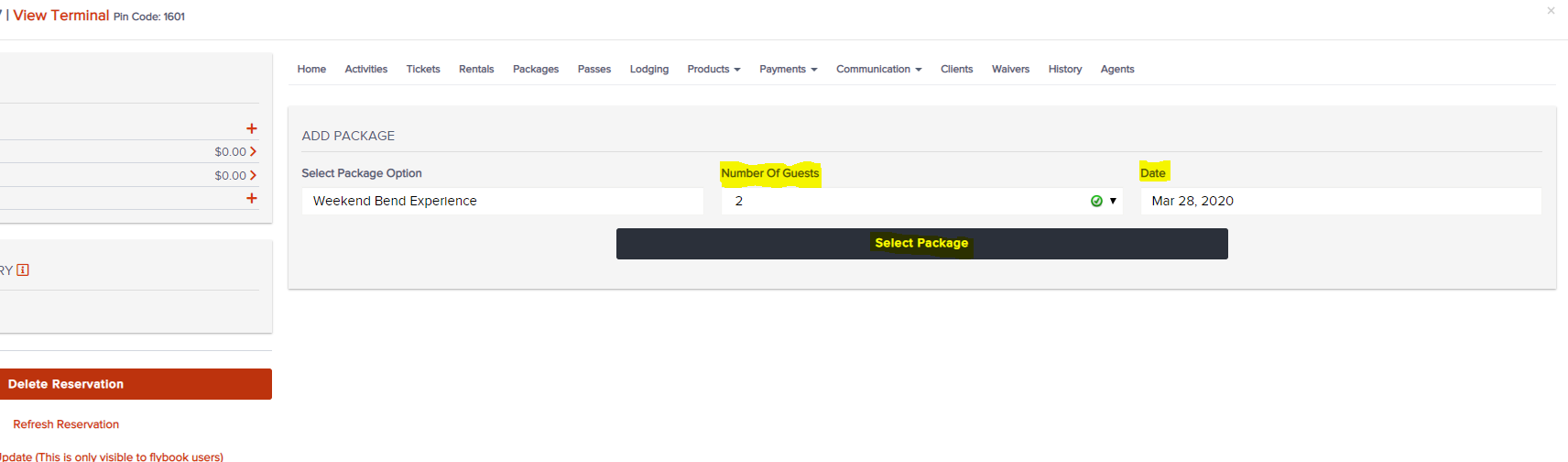
3. Choose the number of guests, start date and click "Select Package"
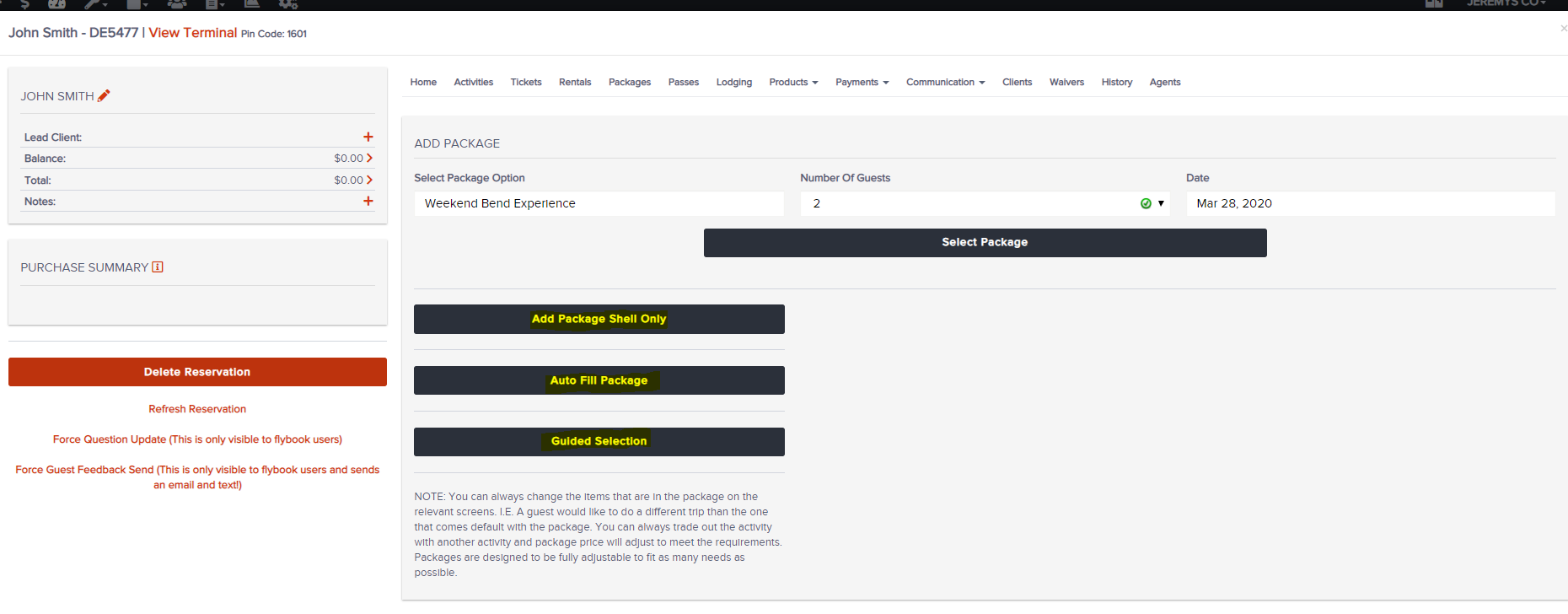
4a. Click "Auto Fill Package" to have the package complete on its own
4b. Click "Guided Selection" if there are options within the package to choose each of the components, like choosing a room within a lodge or a start time for an activity
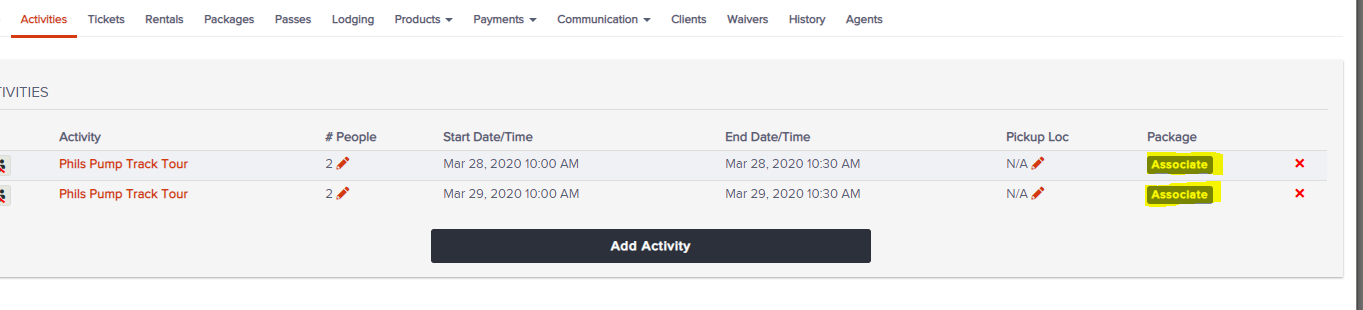
4c. Click "Add Package Shell Only" to just add the pricing shell (you can go to other tabs and click "Associate" to add offerings to a package)
Auto Fill:
Guided Selection:
Associating activities after a package shell has been added:
You have successfully booked a package!