To book an activity follow the steps below . . .
1. Once the reservation is created, go to the Activities tab and click "Add Activity"

2. Select the Activity you want to book from the Activity dropdown, then enter the number of people you are booking the activity for and a date range. Select if you want to "Use Configured Start Times" or "Customize Start Times" then click "Find Availability."

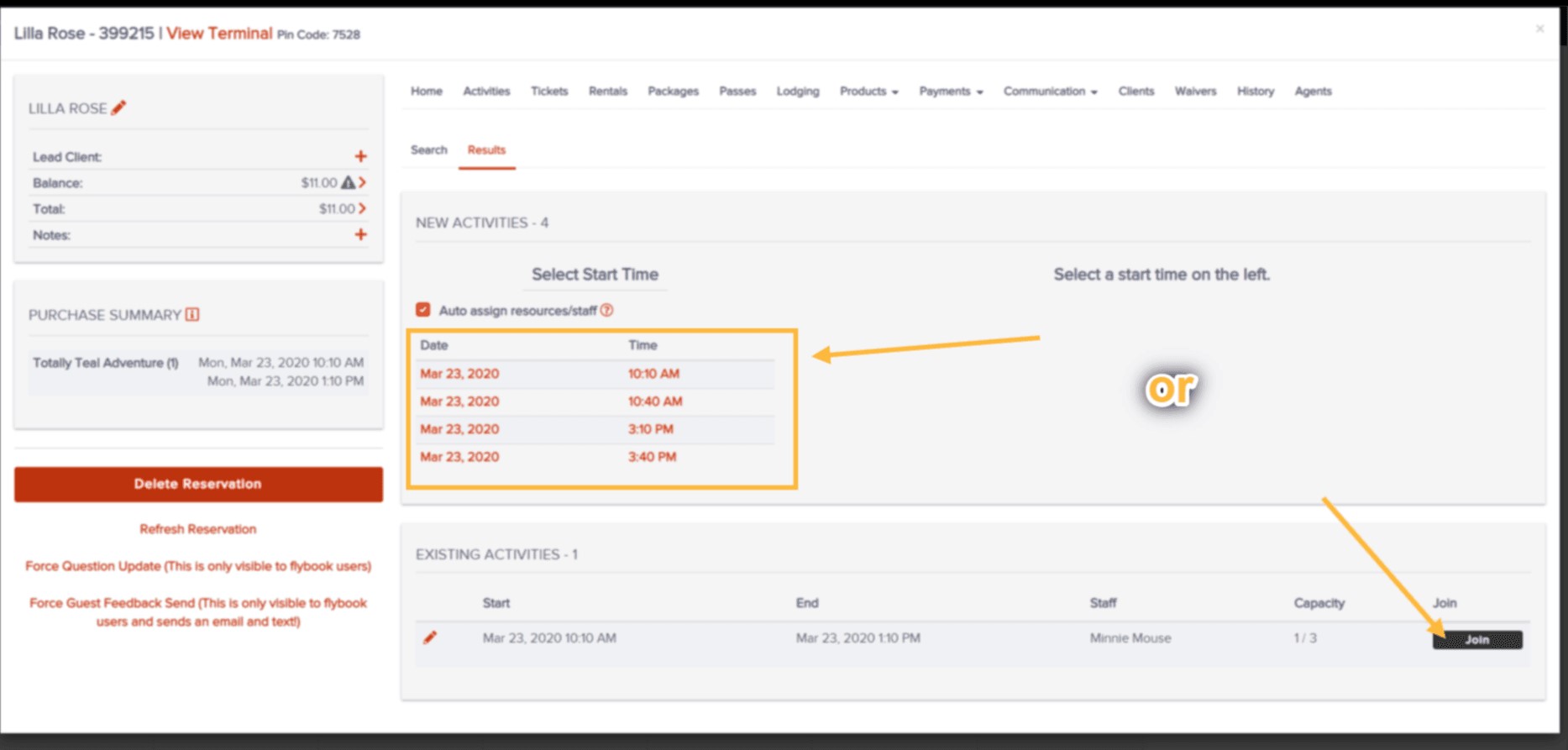
3. Select the activity date and time you would like to book from the list on the left. Or if you are joining this reservation to an existing activity, click the "Join" button in the "Existing Activities" window at the bottom of the screen.
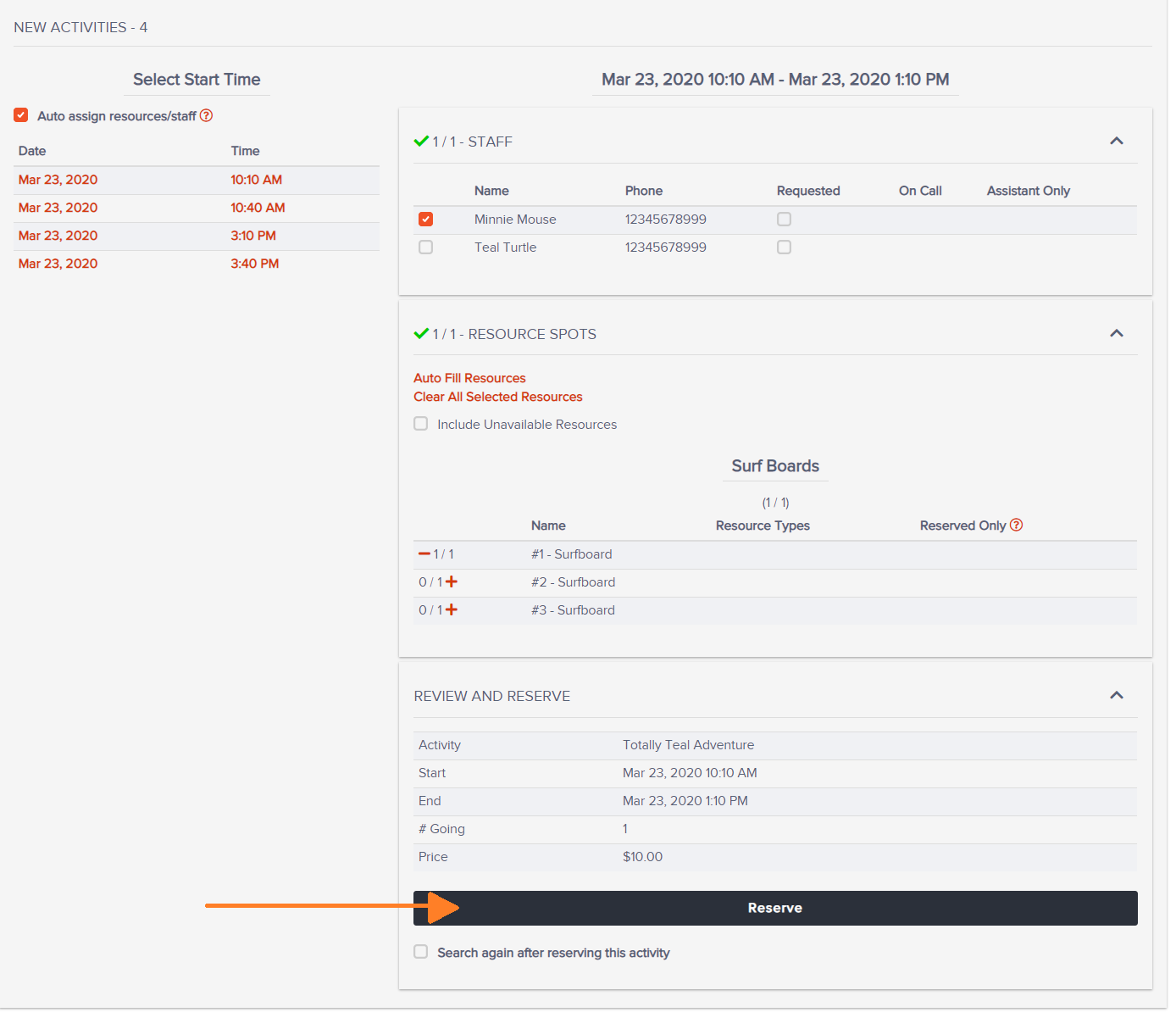
4. Assign staff and resources as needed. You can select a specific staff member/resource from the list or have the system auto-fill.
5. Review the activity details and if it's correct, click "Reserve."
You have successfully booked an activity!

Note: These steps do not include making a payment or sending a confirmation email.