To remove a rental without cancelling the reservation...
1. Find and click into the reservation
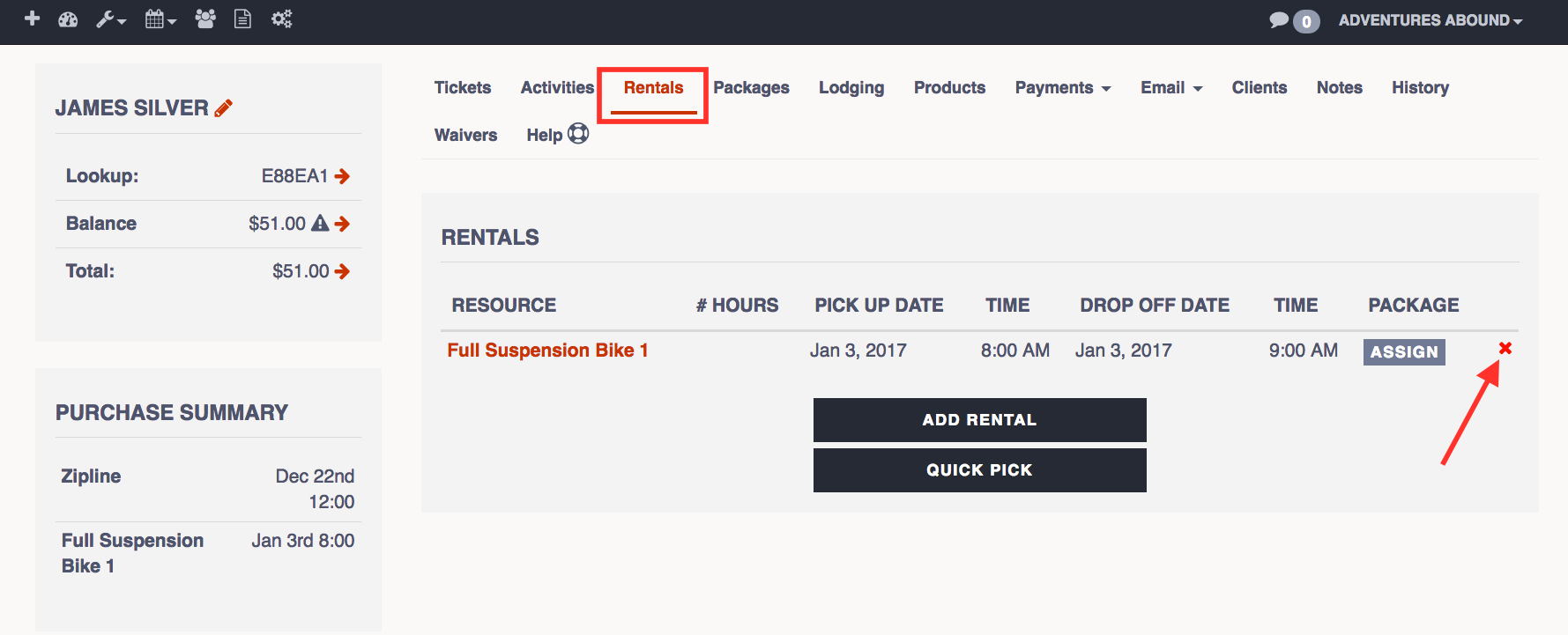
2. Go to the Rentals tab
3. Click on the red X next to the rental(s) you want to get rid of
4. Click "OK" to the prompt that pops up


To remove a rental without cancelling the reservation...
1. Find and click into the reservation
2. Go to the Rentals tab
3. Click on the red X next to the rental(s) you want to get rid of
4. Click "OK" to the prompt that pops up