If you require a minimum night stay for your Lodge,
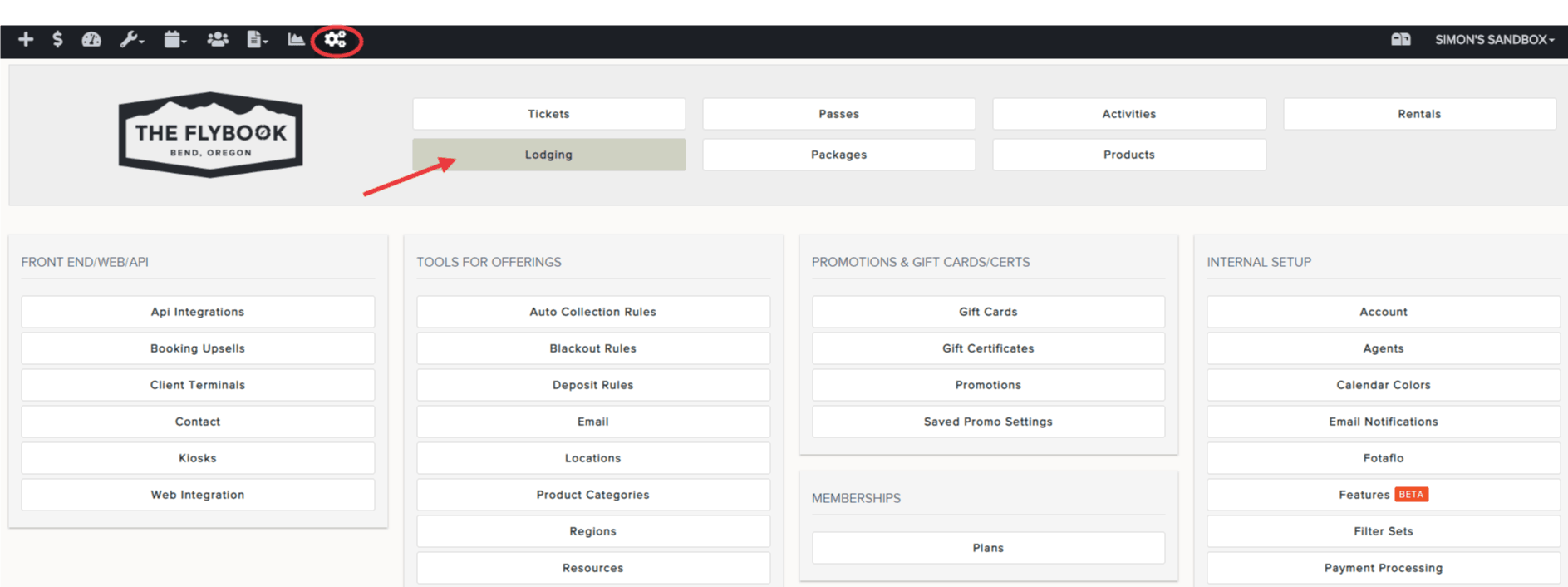
- Go to SETUP and click on Lodging
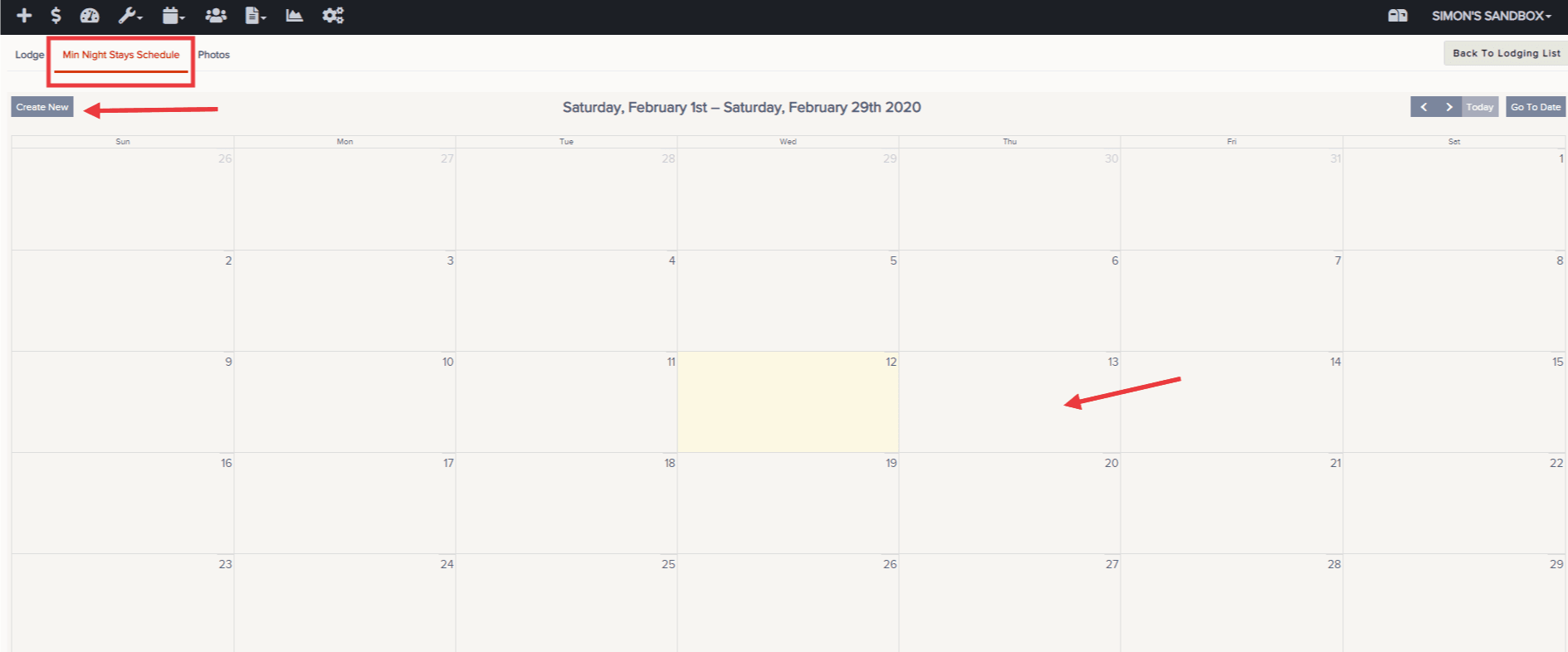
- Click on your Lodge and select the Min Night Stays Schedule tab
- It should show today's date in YELLOW. Click "Create New" - or - select the date you would like to start requiring a minimum night stay
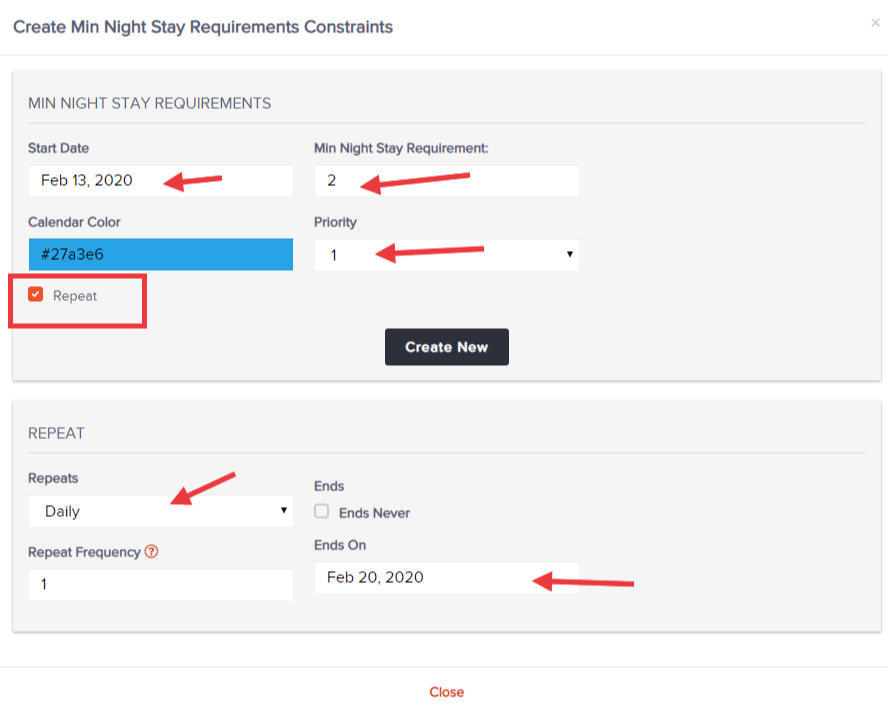
- Pick your start date, how many min. nights are required, if there is any priority (only used for multiple assigned to any given date), select Repeat if you will continue beyond that selected date, choose how often it should repeat, and when it will end. "Create New" when ready
- The min. night stay will now be reflected on your calendar in the color of your choosing. Click into the color if you wish to edit or delete