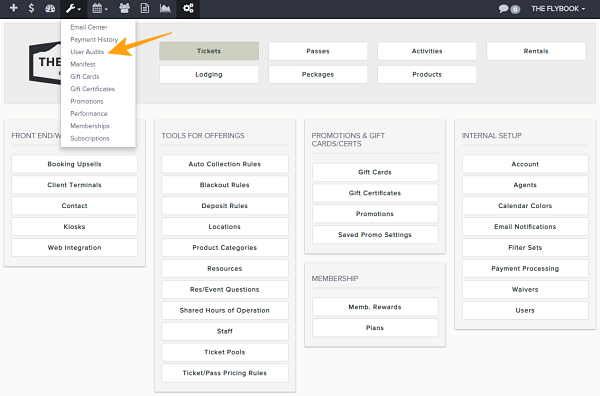
Navigation: Tools>>User Audits
To view all user audits within your Flybook account,
1. Click on your Tools icon and click on User Audits
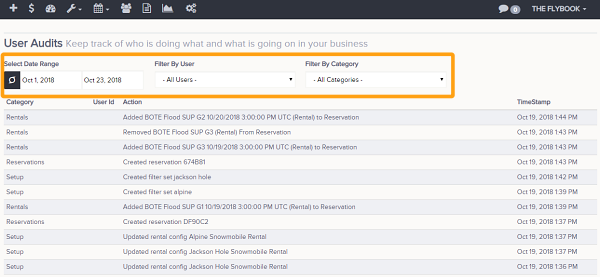
2. Select the Start and End date range you want to view
3. You can Filter by User or by Category upon hitting Search