To create a confirmation email,
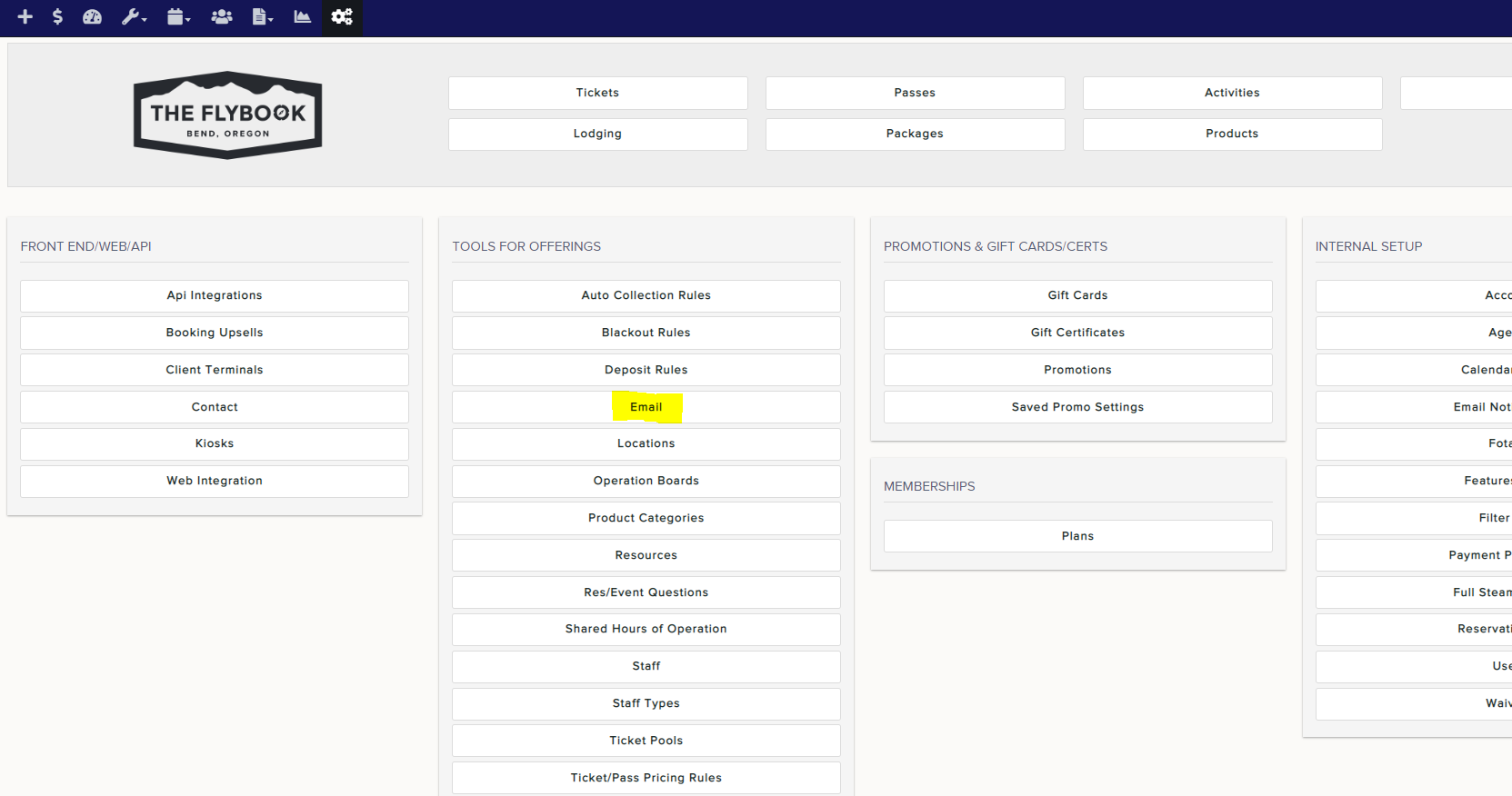
1. Click on your Setup icon and click on Email (under Tools for Offerings)
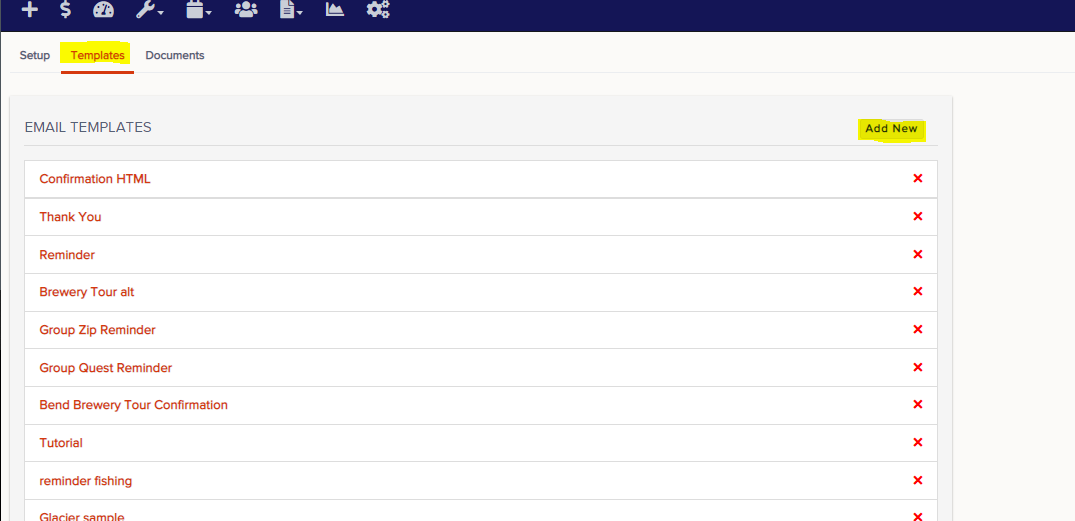
2. Click on Templates and click on Create New Template
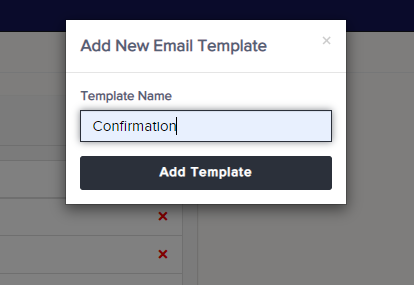
3. Give your template a name and hit Create
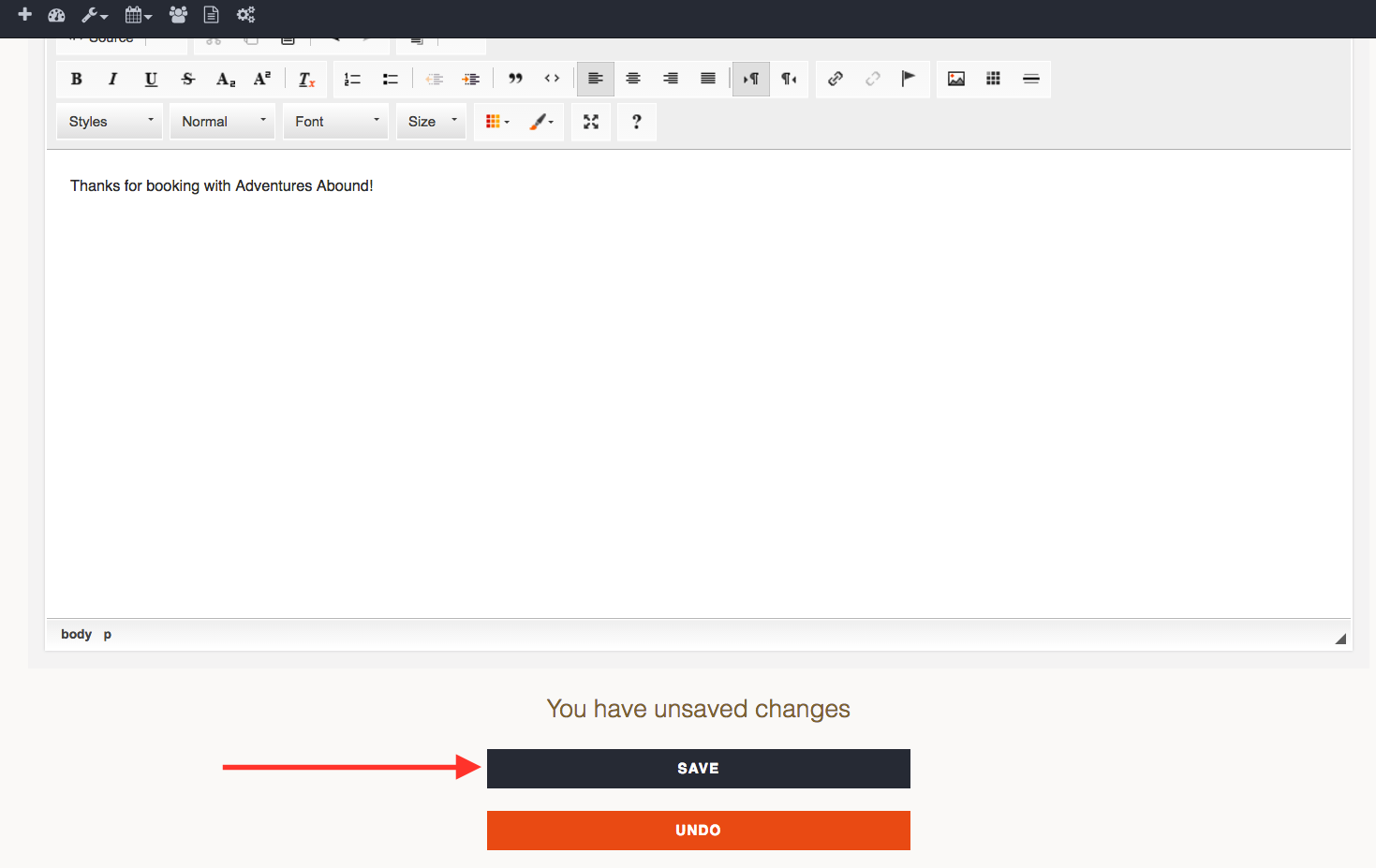
4. You can create your confirmation email within the body of the CK editor
5. Select Attachments if needed and hit Save when finished