If you want the flexibility to choose any start time for an activity - on the backend of the Flybook only - but still control what start times are available online,
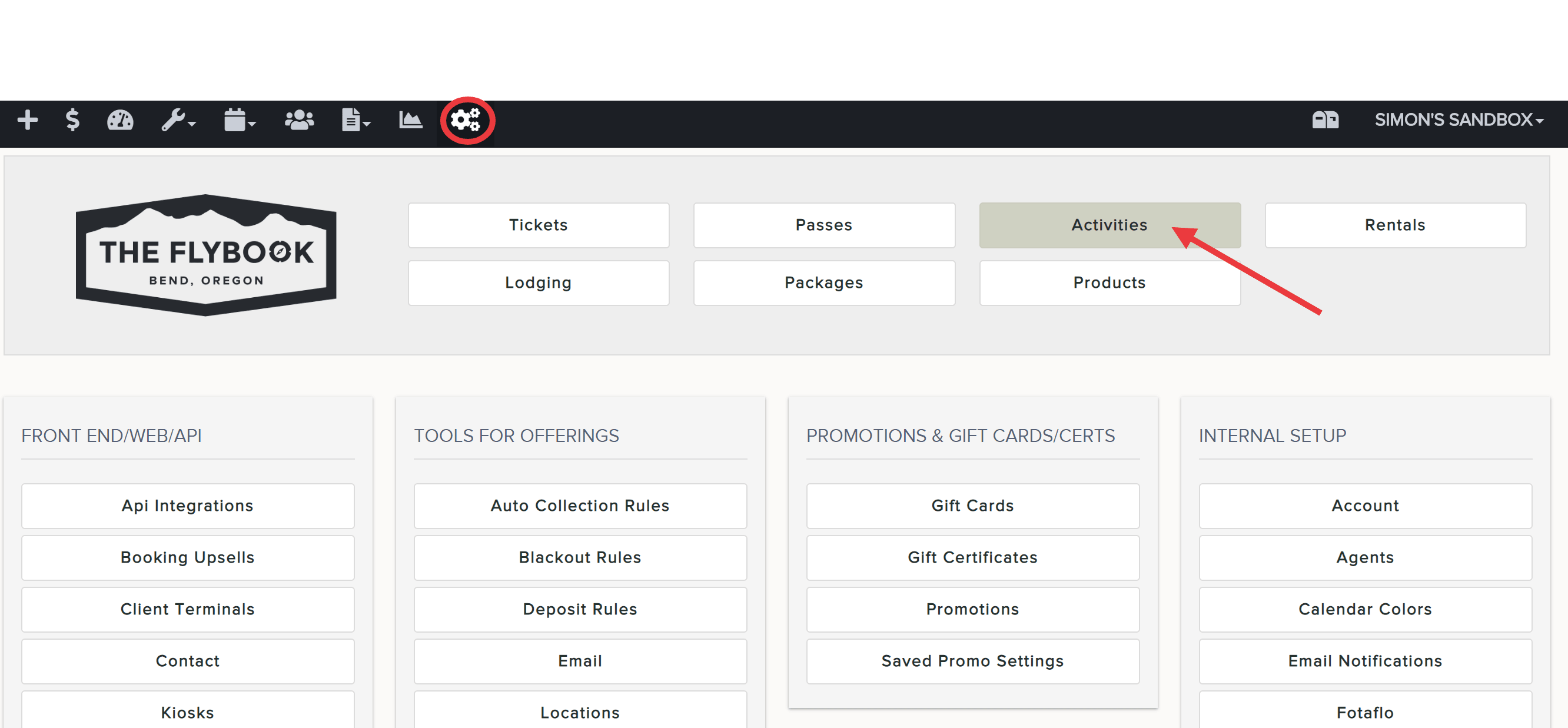
- Go to SETUP and click on Activities
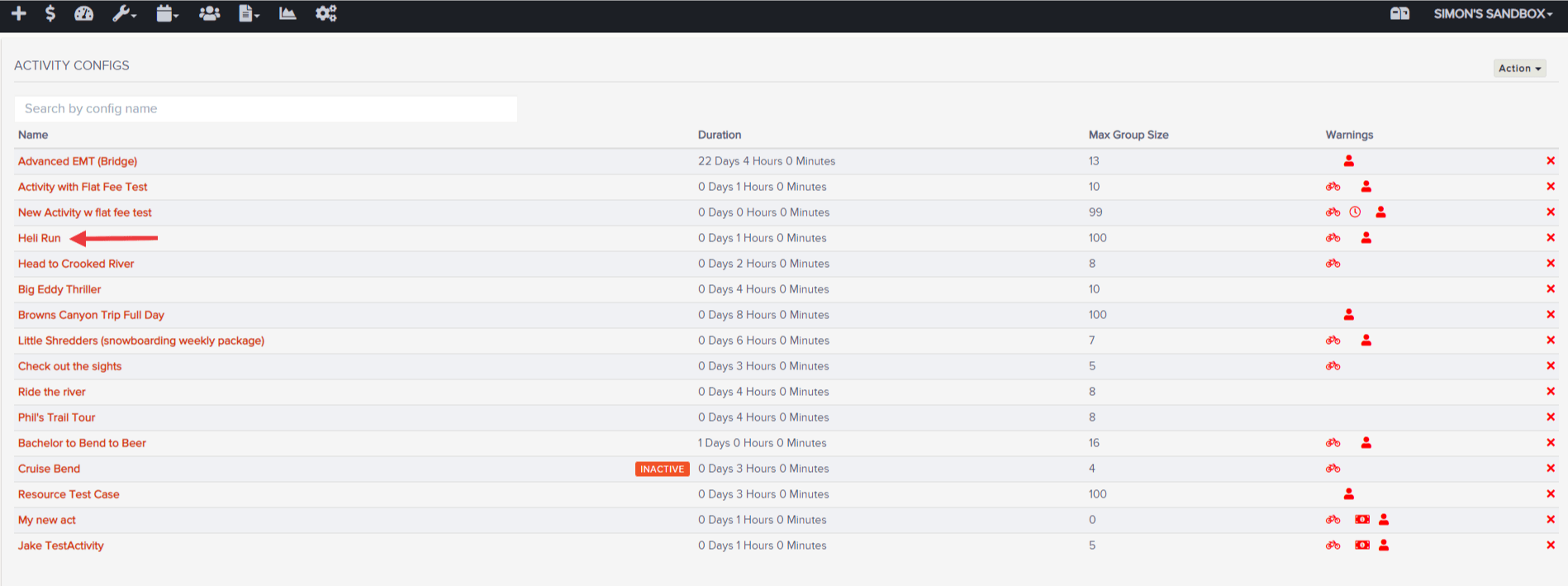
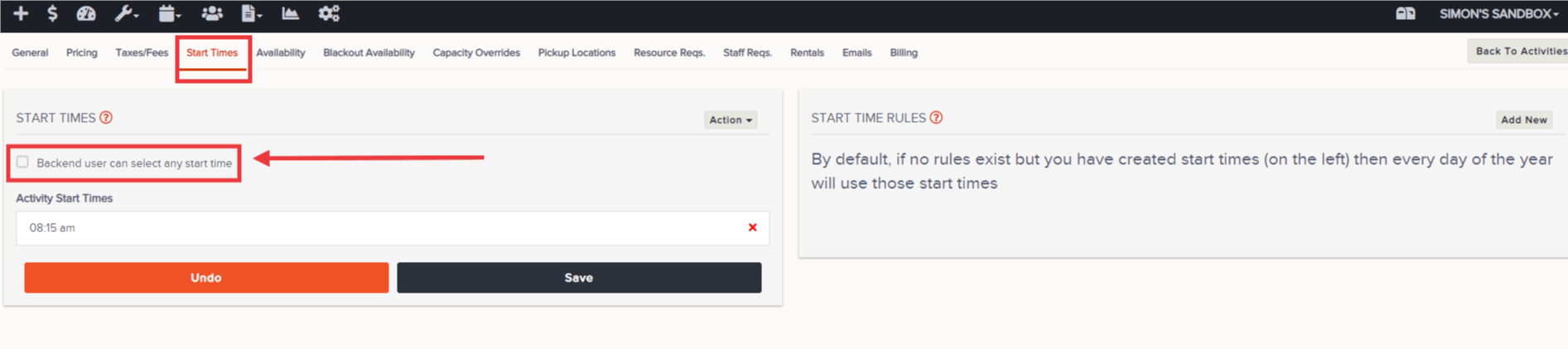
- Click on a specific Activity and click on the Start Times tab
- Select "Backend User Can Select Any Start Time" and set your start times for the front end if you haven't already
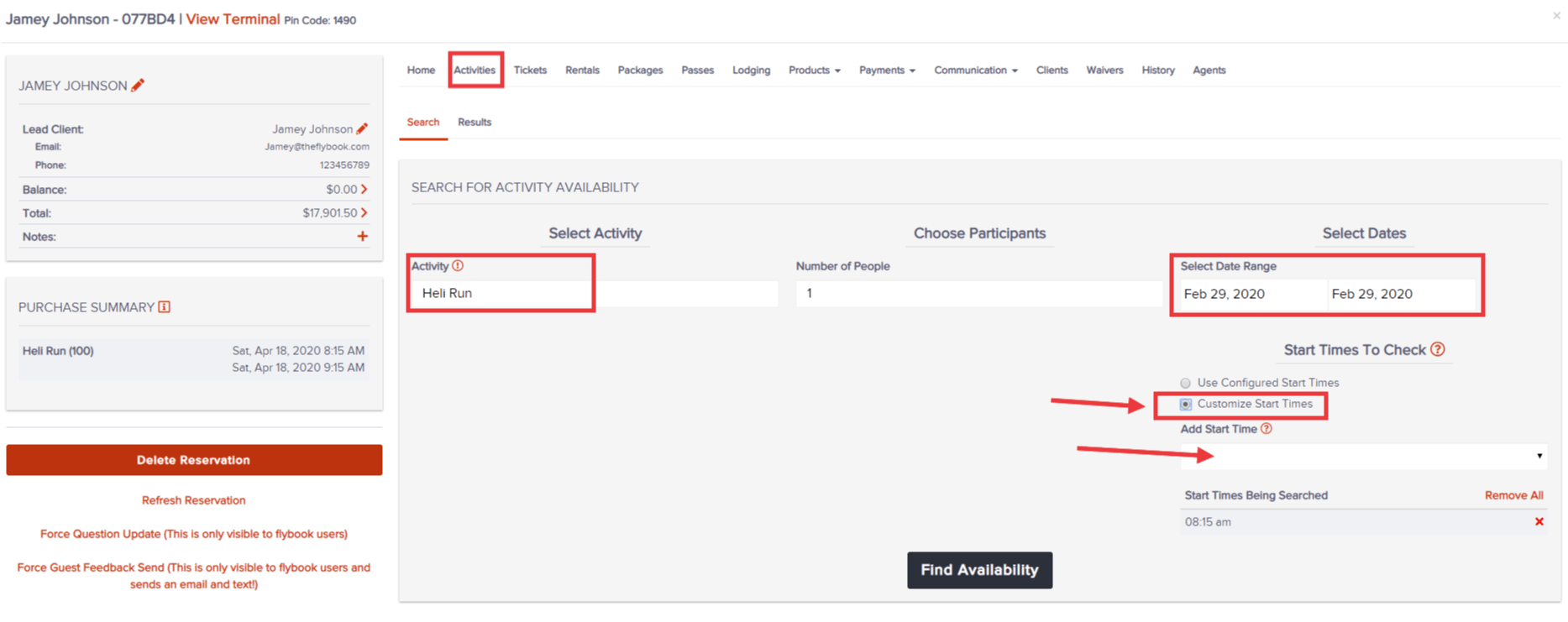
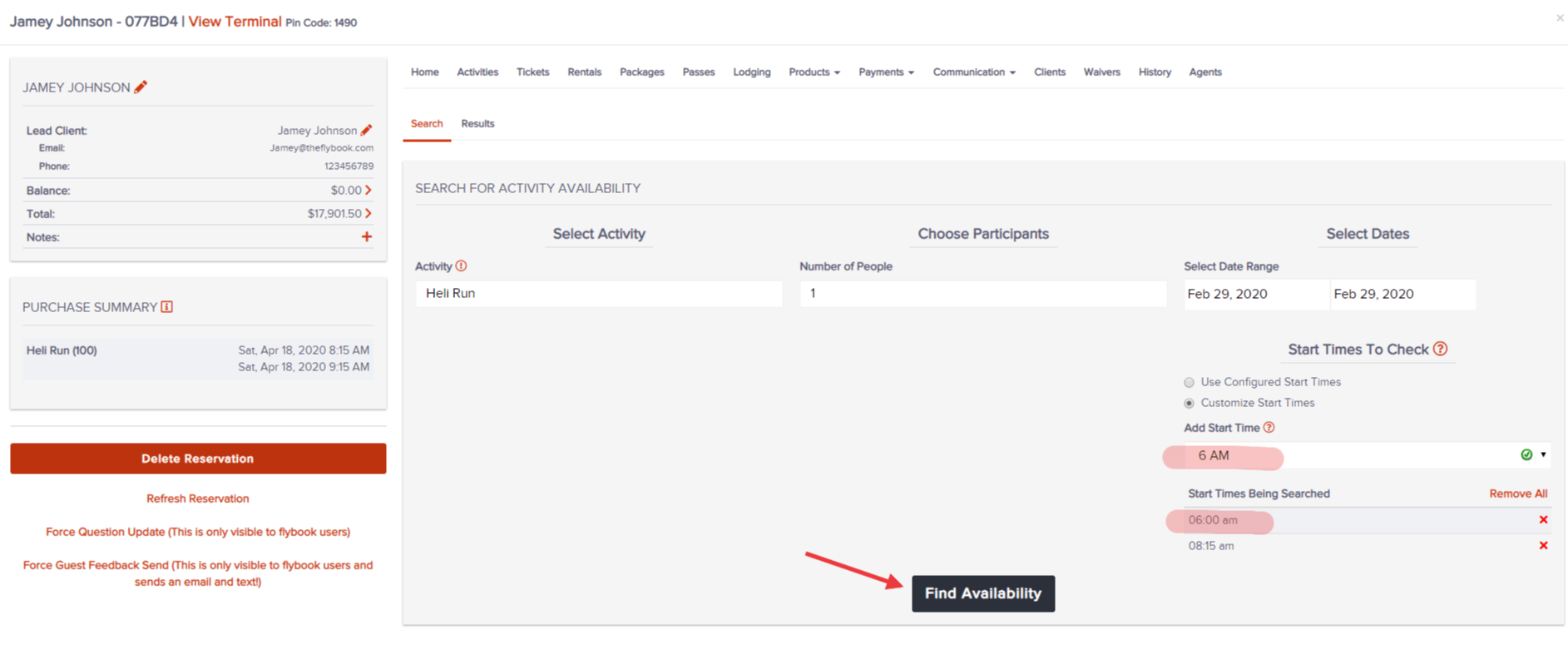
- When booking a reservation on the backend, you can search by "Custom Start Times". Add a desired time from the dropdown and click Find Availability
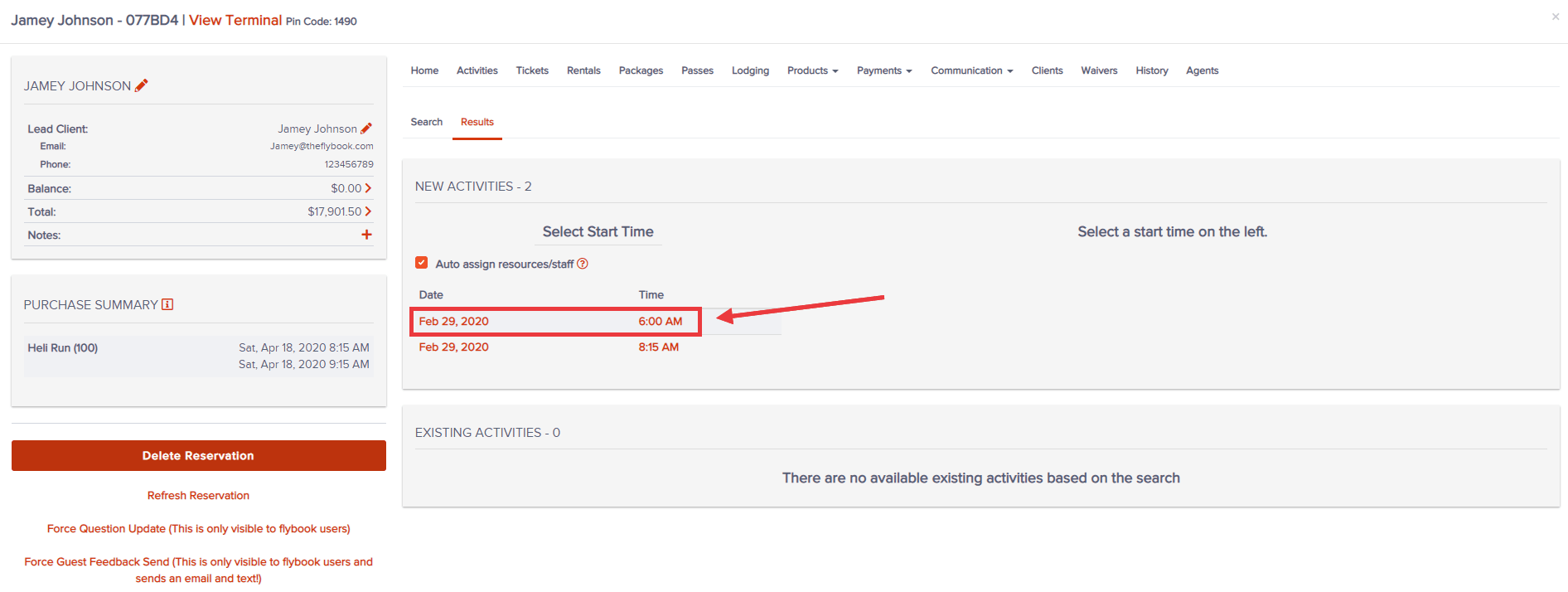
- Select the new time you customized and finalize the booking