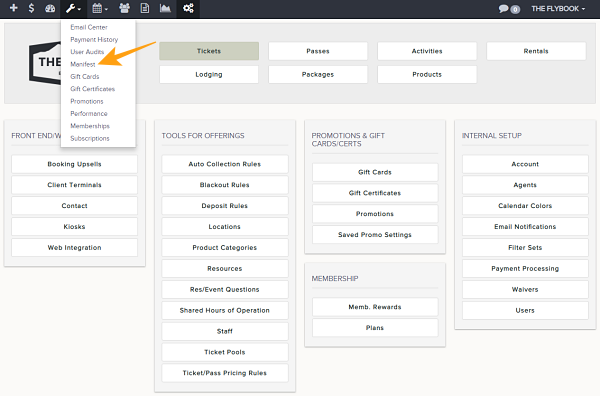
Navigation: Tools>>Manifest
To create and customize a manifest report that will pull information on assigned staff, client info, etc.
1. Click on your Tools icon and click on Manifest
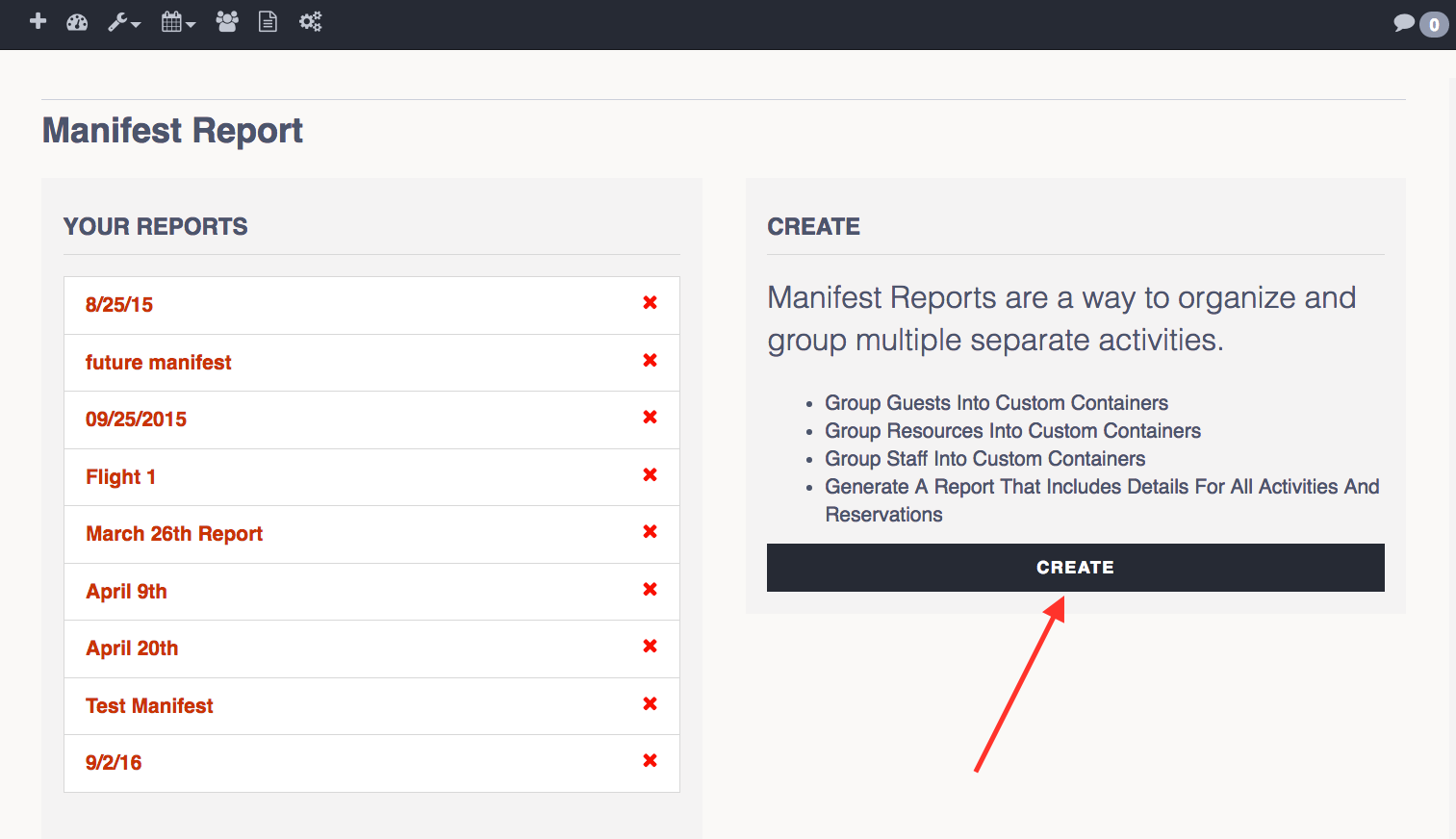
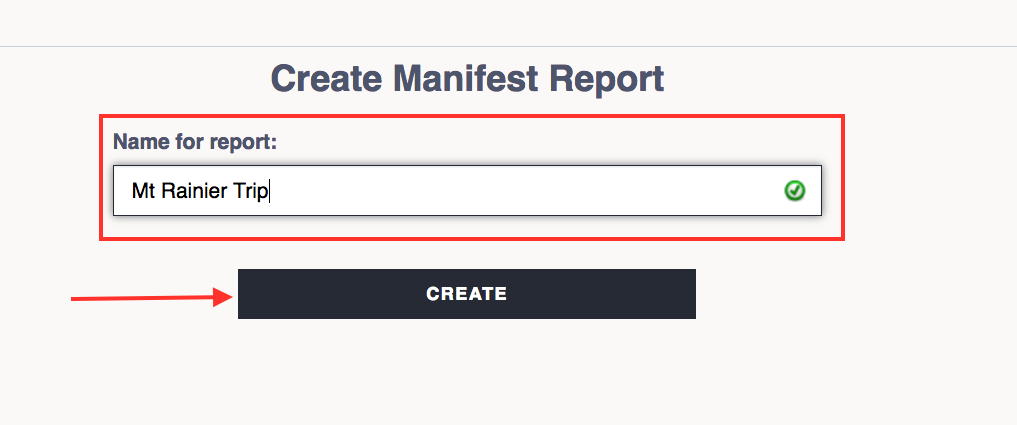
2. Click on Create and give your Manifest report a name
3. Click Here to Add Activities
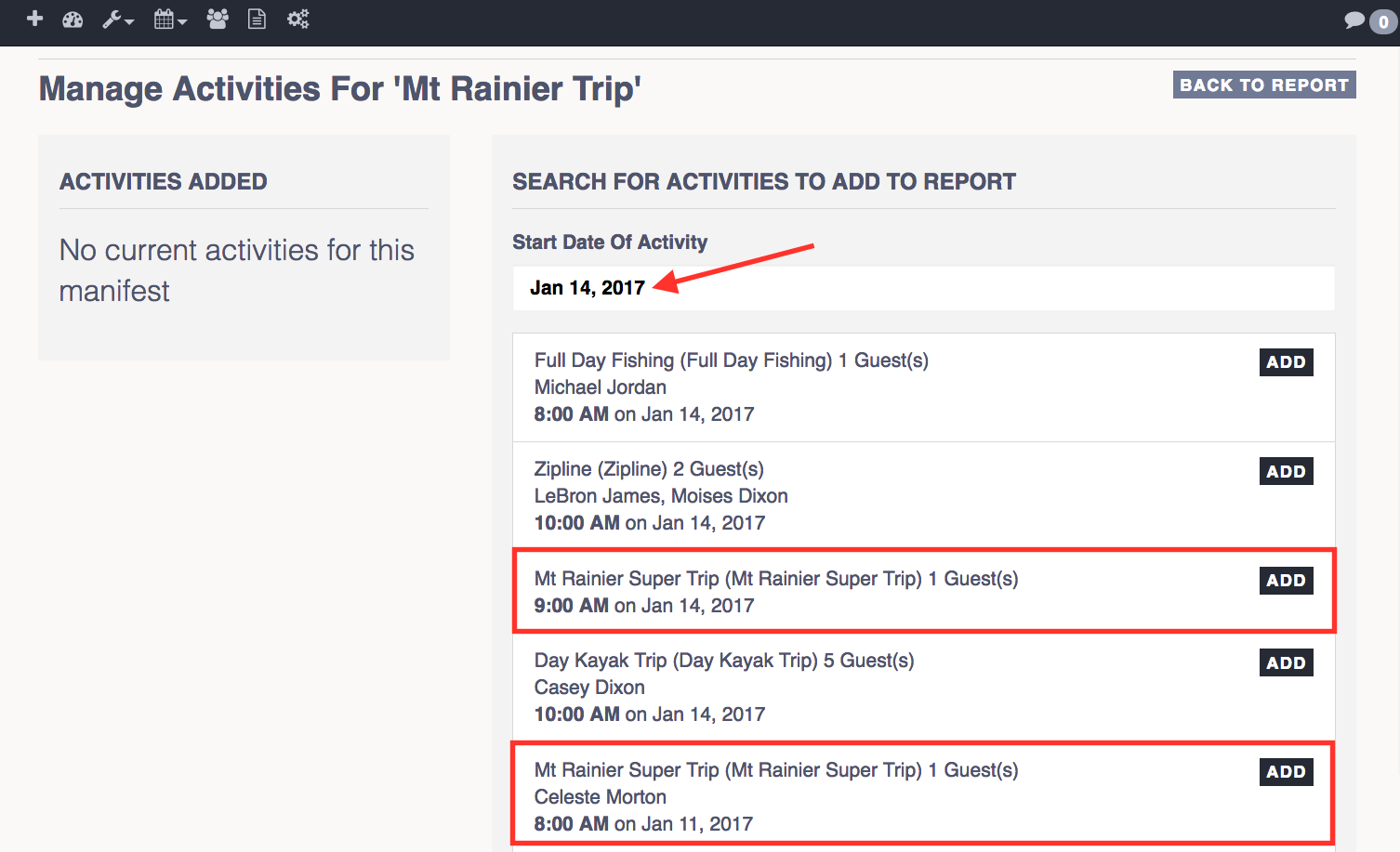
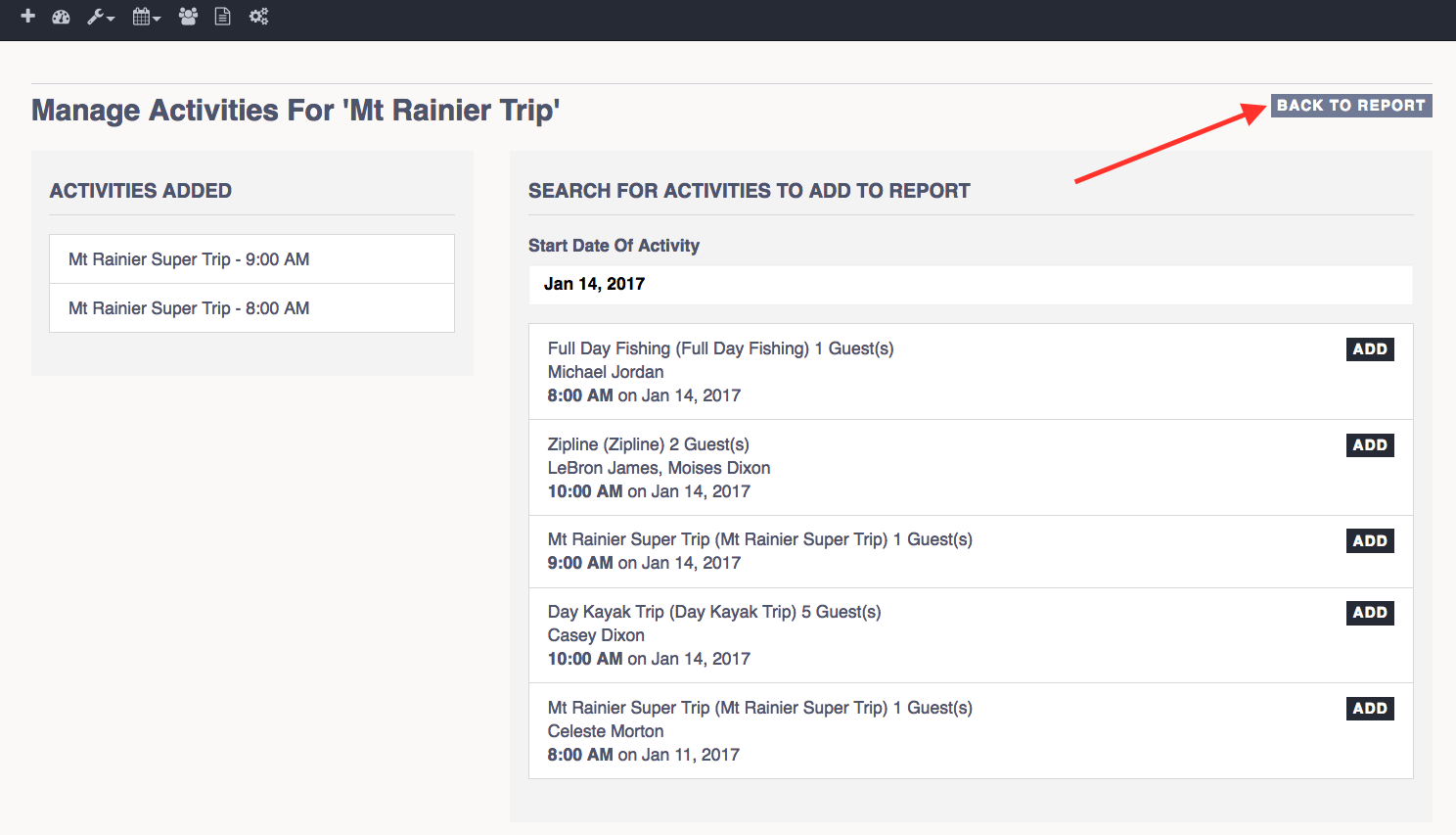
3. Select the date that the activity is taking place and Add the activities that you want on the report
4. Click Back to Report after you have added the activities
5. To add a container, select either option "Generate from Resources" or "Generate from Staff". You can also create your own container by clicking on Add Custom.
6. To add Clients, Resources, or Staff to your container click on any of them to the left of the screen and then click on Add Selected. Notice how they will be automatically added to your container.
7. Once you have added everything you need, click on PDF to create a quick view of the report or click on CSV to download and open in Excel Spreadsheet.