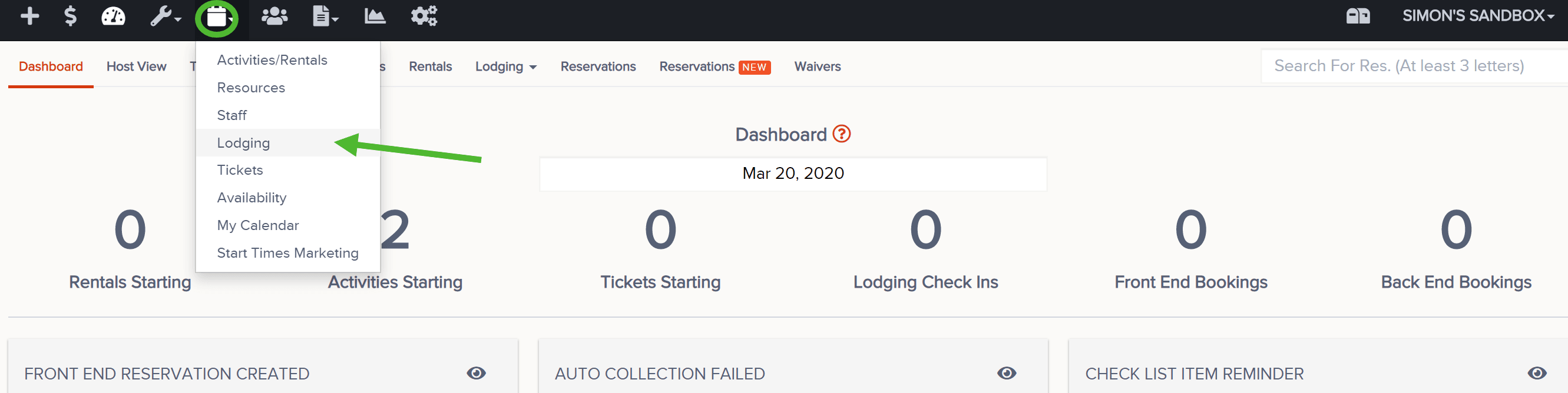
If you would like to see your Lodging availability and what's currently booked,
- Click on Calendar and Lodging
- To the left, you will see your Lodges with their corresponding Rooms
Note: you can click on the triangle to the left of each lodge to minimize/hide those rooms. Click on it again to maximize/show them again. You can also hover over any of the rooms for quick details about each room (i.e. bedding, pricing, etc.) - To the right, within the calendar, you will find the booked rooms. Hover over the colored portion of the reservation to see details. Click on it to open the res
- Use the keys in the top right to hide blackouts, check individual availability, toggle between # of day views, go to a specific date, and more
- Use the Configure button in the top left to filter (aka hide/show) lodges