Navigation: Calendar>>Tickets
If you would like to add a new ticket from the ticket calendar follow the steps below.
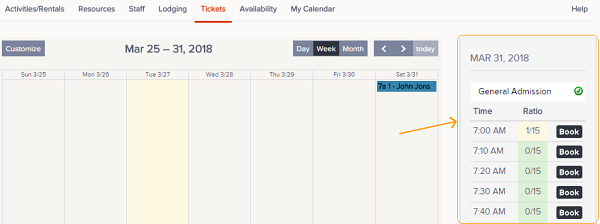
1. Click on the date you would like to add a ticket to, a new tool will appear on the right.
2. Select the ticket configuration you would like to book from the drop down.
3. Find the desired time slot and click the Book button.
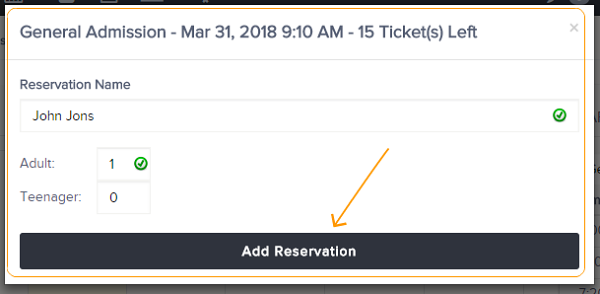
4. This will open a modal screen where you can add Reservation Name and # and type of participants. Once selected click Add Reservation button.
5. Once created user will be able to Go To Reservation and complete payment or close the modal and continue to work in the ticket calendar view.