Navigation: Reservation>>Make Payment/Refund
Tip: This functionality is especially useful for tracking check numbers or what a specific payment or refund should be designated for. Please note: These notes are only visible on the back-end of the reservation and will not be seen by the customer.
If you would like to add a note to a payment/refund follow the steps below.
- Go to Reservation
- Click the Payment Summary tab
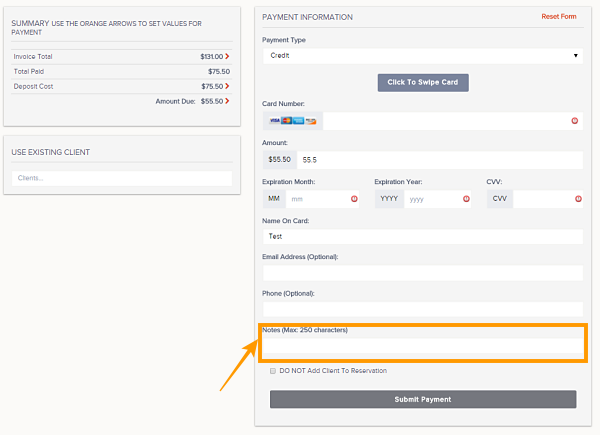
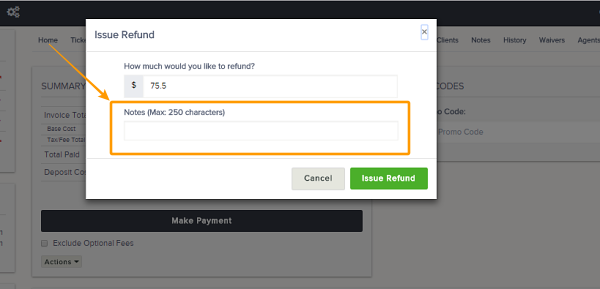
- When you Make Payment or Refund a field called Notes is available to add up to 250 characters
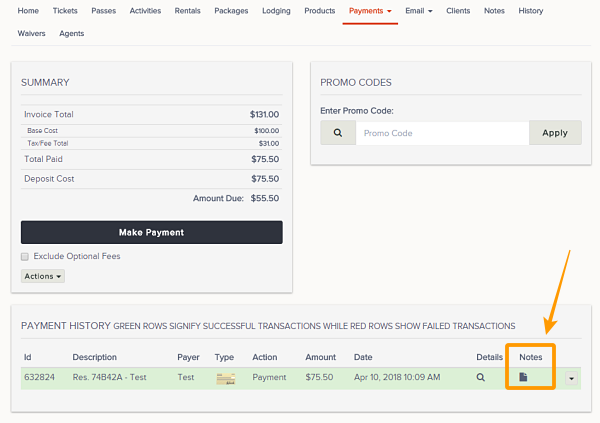
- Once added, admins will be able to view the Notes under the Payment History area of a reservation by hovering over the notes icon
Important Note: Notes are not available for Voids