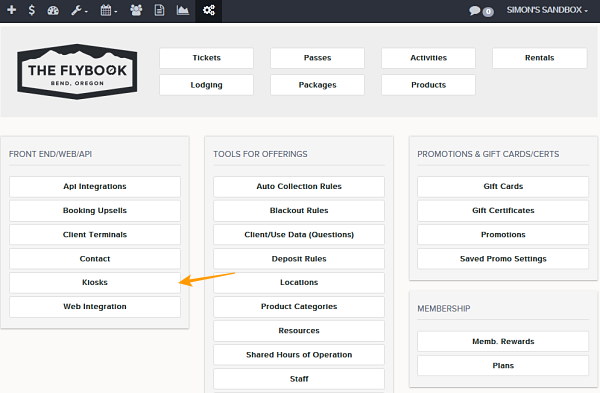
Navigation: Setup>>Kiosks
Important Note: The ticket kiosk can now handle multiple ticket types in a single transaction so users will only have to checkout once if they are booking multiple tickets.
If you would like to configure what appears in your Kiosk follow the steps below.
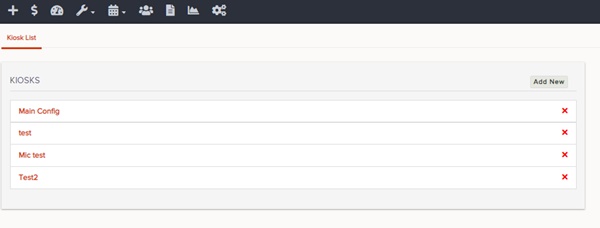
- Go to Kiosks
- Click the Add New or on a Existing Configuration
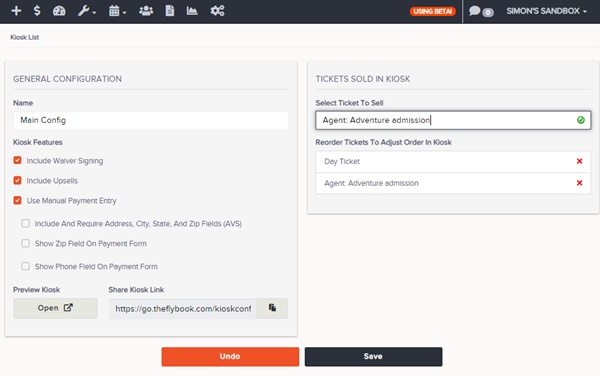
- From here admins will be able to edit these fields
- Name
- Include Waiver Signing
- Include Upsells
- Use Manual Payment Entry
- Ticket Sold In Kiosk
- Always remember to Save changes
- In the Kiosk Config screen the URL will be available to preview and test the config