Navigation: Reports>>Question Reports
If you would like to generate reports on your questions follow the steps below.
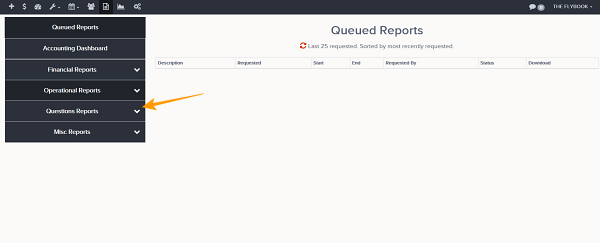
- Go to the Reports Tab
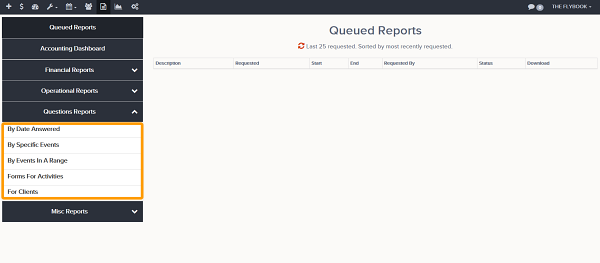
- Click on the Questions Reports section from here admins will be able to generate the reports below:
- By Date Answered (This report will show all question data answered in a specific date range)
- By Specific Events (This report will display all the answers to questions for reservations that are participating in the selected events for a single day.)
- By Events In A Range (This report will display all the answers to questions for reservations that are participating in the selected events for a date range.)
- Forms for Activities (This report will get answers to questions that were answered within the requested time range. Once you have searched a range you can select which questions and 'abouts' you wish to report on)
- For Clients (This report will display all the answers to questions for clients created in the selected date range.)