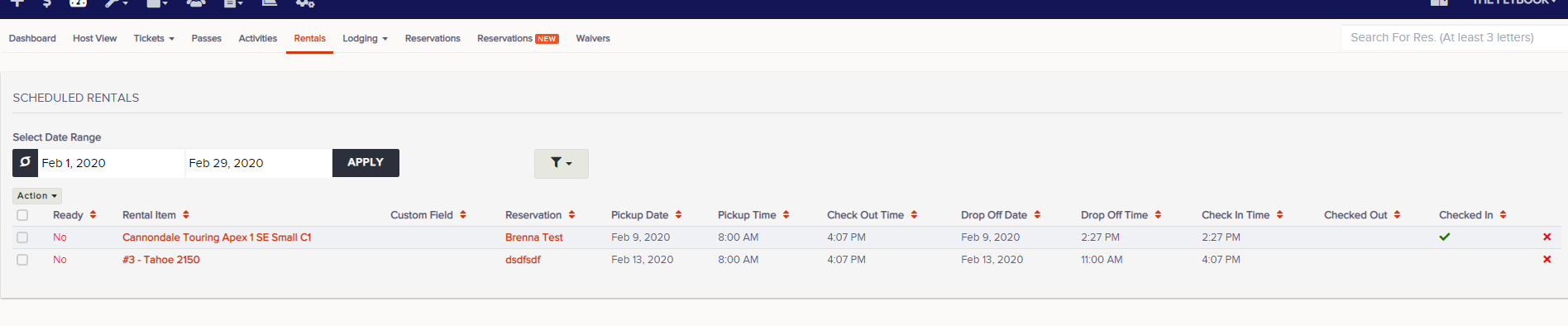
Navigation: Dashboard>>Rentals Tab
Below is a description of the information and functionality available on the Rentals dashboard
- Go to the Dashboard and click on the Rentals tab
- Select the date range you would like to view rentals for
- These are the fields that are available
- Ready
- Rental Notes
- Rental Item
- Custom Field
- Reservation
- Pickup Date
- Pickup Time
- Check Out Time
- Drop Off Time
- Check In Time
- Check Out
- Check In
- Admins can filter and do these functions on this page
- Check Out Selected (Time Stamps check out time)
- Check In Selected (Time Stamps check In time)
- "X" (Removes Rental from Dashboard)