Navigation>>Dashboard
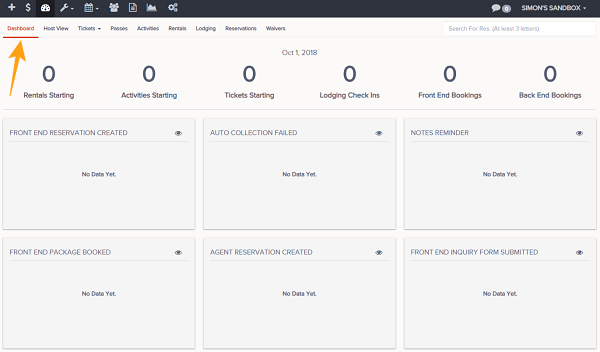
Below is a description of the information and functionality available on the alert dashboard
- Go to Dashboard
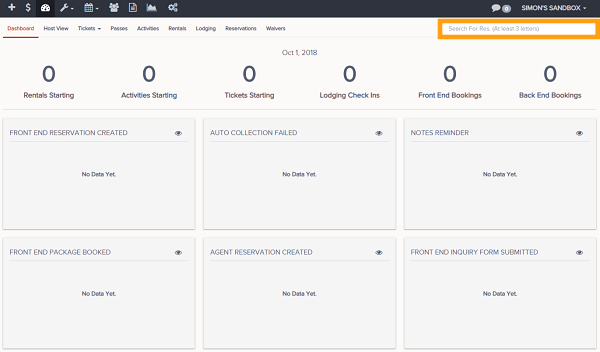
- In the top right of the Dashboard, you can search for a reservation by Name or Reservation ID
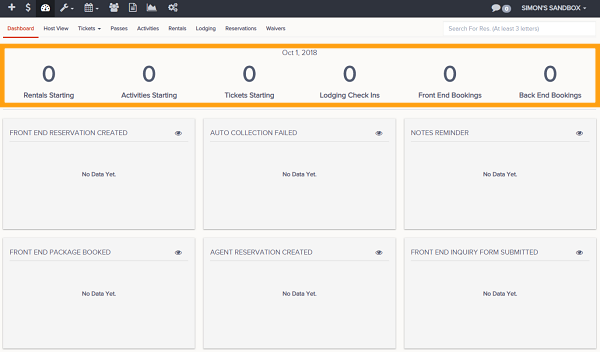
- At the top of the board it will show you the current date and these parameters:
- Rentals Starting
- Activities Starting
- Tickets Starting
- Lodging Check Ins
- Front End Bookings
- Back End Bookings
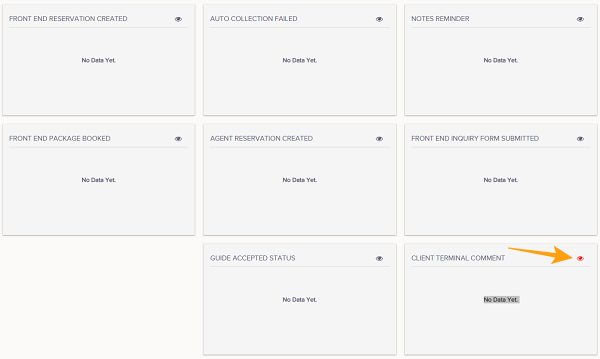
- Notifications will appear for these (Alerts appear for 72 hours)
- Front End Reservation Created
- Auto Collection Failed
- Notes Reminder
- Front End Package Booked
- Agent Reservation Created
- Front End Inquiry Form Submitted
- Guide Accepted Status
- Client Terminal Comment
- Guest Feedback (if enabled)
- Notifications can be dismissed (admins can see dismissed by clicking the eye button)
- The date can be adjusted to show previous notifications by clicking on the date in the top, middle of the screen then selecting a new date from the calendar.