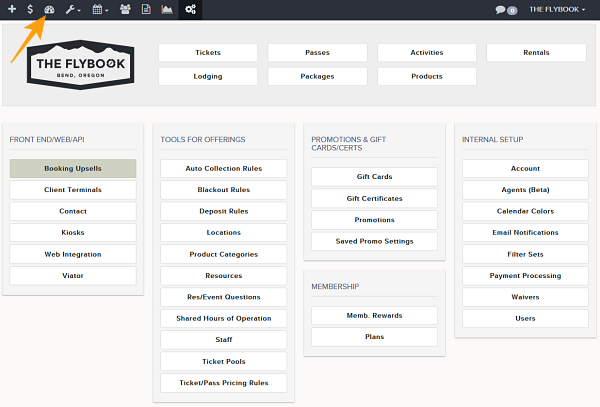
Navigation: Dashboard>>Tickets>>Daily List
Below is a description of the information and functionality available on the Ticket Daily List Dashboard. The Ticket Daily List is intended to give admins a overview of a single day and when tickets are starting and ending
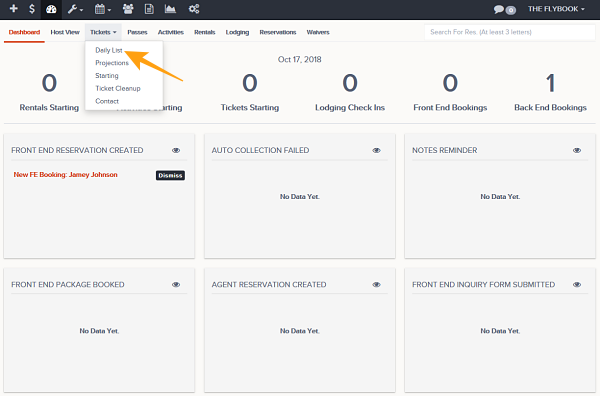
- Go to Dashboard then to Tickets then choose Daily list from drop down
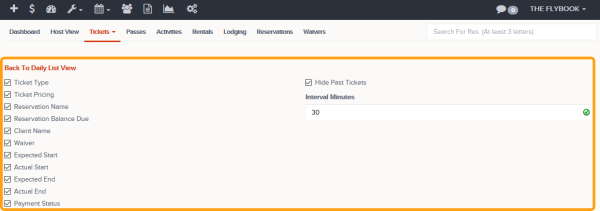
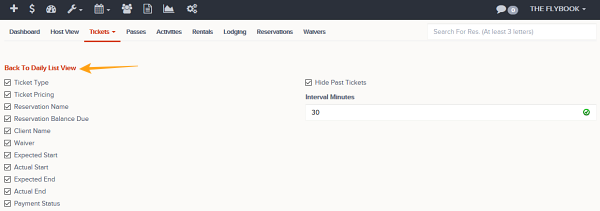
- This view allows you to customize the what is displayed these parameters can be turned on and off using the Setup View button
- Ticket Type
- Ticket Pricing
- Reservation Name
- Reservation Balance Due
- Client Name
- Waiver
- Expected Start
- Actual Start
- Expected End
- Actual End
- Payment Status
- Hide Past Tickets (Will hide all past tickets)
- Interval In Minutes (Sets the intervals that are going to be shown in "Time Of Day" column)
- Once those display settings are correct click Back To Daily List View
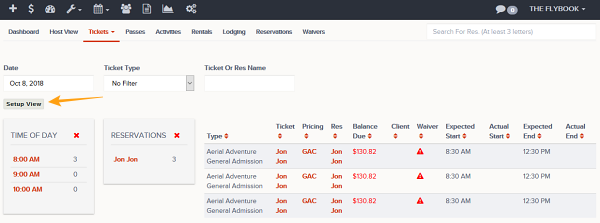
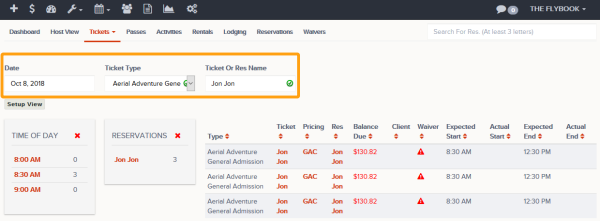
- The Daily List View allows admins to filter by (
- Date
- Ticket Type
- Ticket Or Res Name
- These areas will be available by default
- Time Of Day (Click on the time to drill into reservations for that time)
- Reservations (Clicking on a specific reservation will filter the Grid)
- Displayed Data Grid (Defined in Setup View)