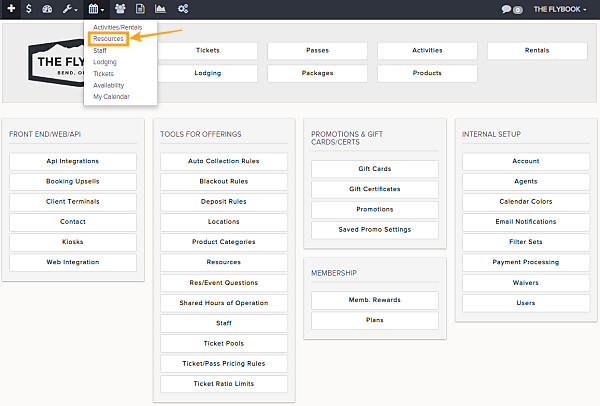
Navigation: Calendar>>Resources
If you would like to view your resources or create a reservation from the calendar view
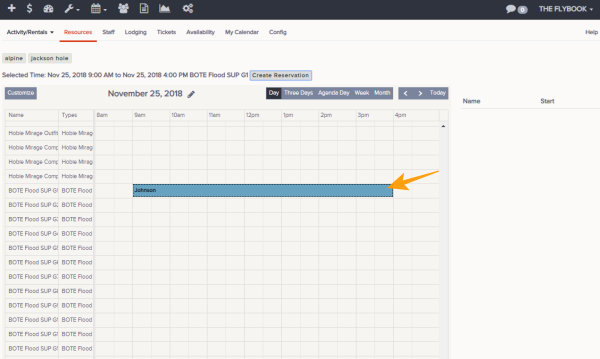
- Click on Calendar then on Resources
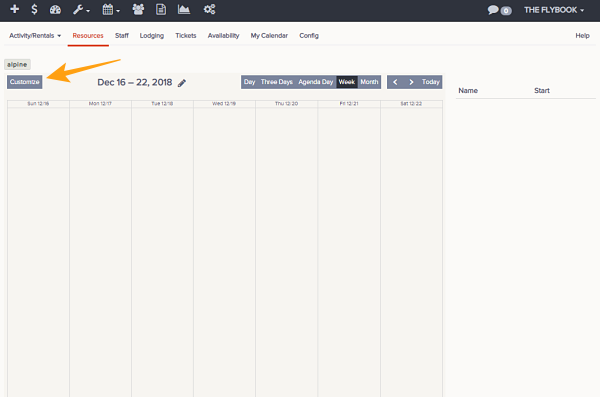
- This will show by default the week view of your Resource
- You can adjust range you want to view by these choices
- Month
- Week
- Agenda Day (Shows a hourly breakdown of the day)
- Three Days
- Day
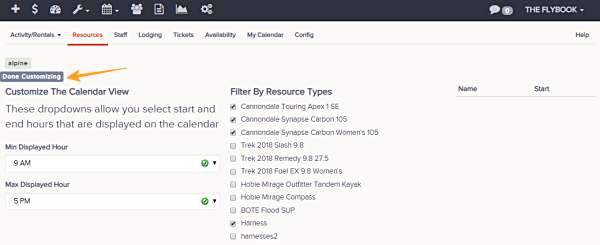
- Customize the filters by clicking Customize button, you can filter by these parameters. Once selection is completed click Done Customizing
- Min Displayed Hour
- Max Displayed Hour
- Filter By Resource Types
- These functions are also available
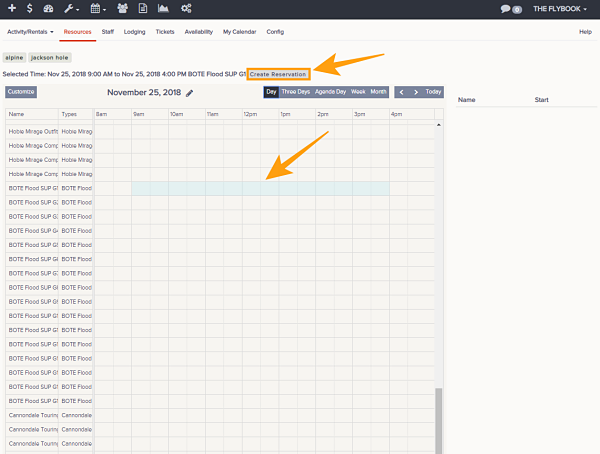
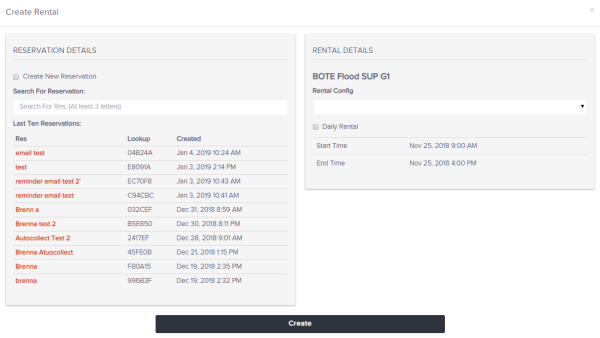
- Create Reservation (You can create a reservation by clicking and dragging on the Day, Three Days, Agenda Day)
- Search For Reservation:
- Last Ten Reservations
- Rental Details
- Rental Config
- Start Time
- Create Reservation (You can create a reservation by clicking and dragging on the Day, Three Days, Agenda Day)
- Once all parameters are correct click Create and new item will appear on resource calendar.