Navigation: Setup>>Filter Sets
Calendar filters allow you to narrow or expand what offerings you see on a specific calendar.
If you would like to create a predefined calendar filter follow the steps below:
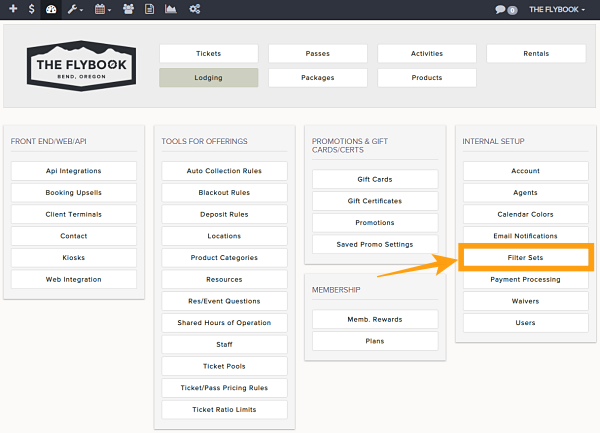
- Go to Setup then click on Filter Sets under the Internal Setup menu
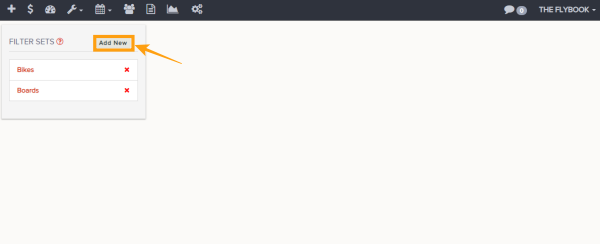
- This will take you to the Filter set menu from here you can do these functions
- Add New
- Delete Filter
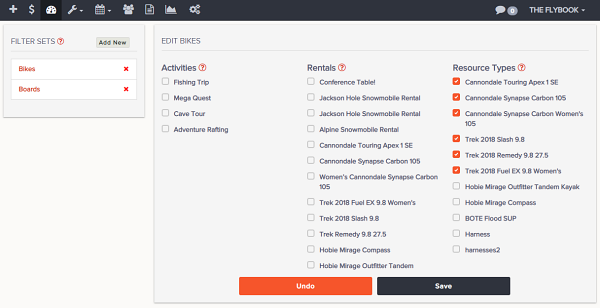
- Clicking the Add New Filter will allow these parameters
- Filter Name
- Activity filter (Only applies to Activity/Rental Calendar)
- Rental filter (Only applies to Activity/Rental Calendar)
- Resources Types (Only applies to Resource Calendar)
- Always remember to Save changes