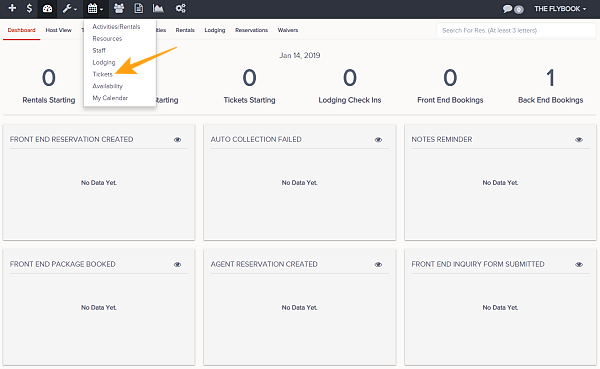
Navigation: Calendar>>Tickets
If you would like to view your tickets or create a reservations with tickets follow the steps below.
- Click on Calendar then on Tickets
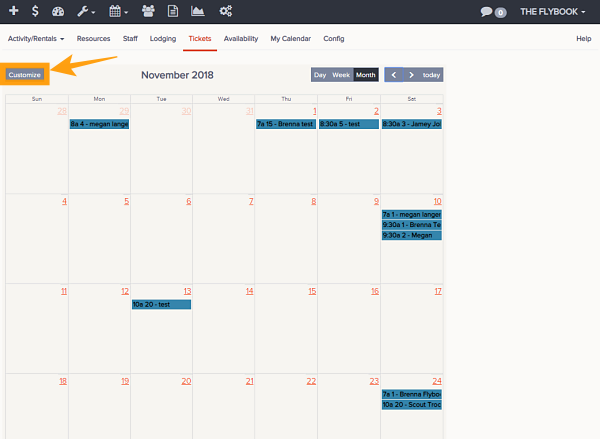
- This will show by default the month view of your Tickets
- You can adjust range you want to view by these choices
- Month
- Week
- Day
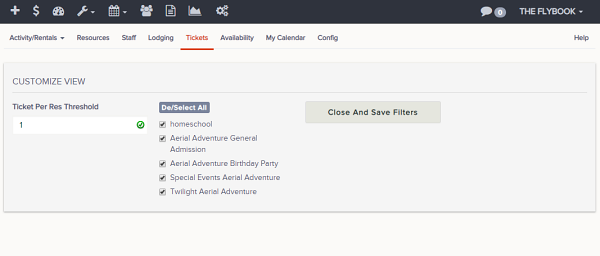
- Customize the filters by clicking Customize button, you can filter by these parameters. Once selection is completed click Close And Save Filters
- Ticket Per Res Threshold (This will filter out reservations based on the number of tickets in each)
- Ticket Config
- These functions are also available
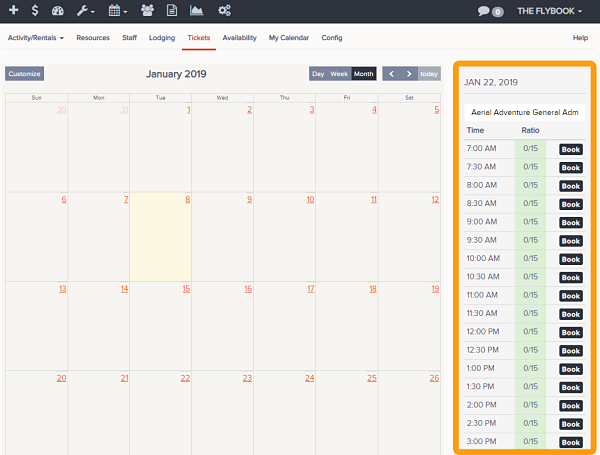
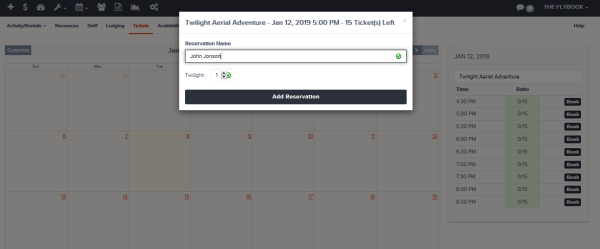
- Create Reservation (You can create a reservation by clicking on a date month view)
- Book a selected time
- Reservation Name
- Pricing Option
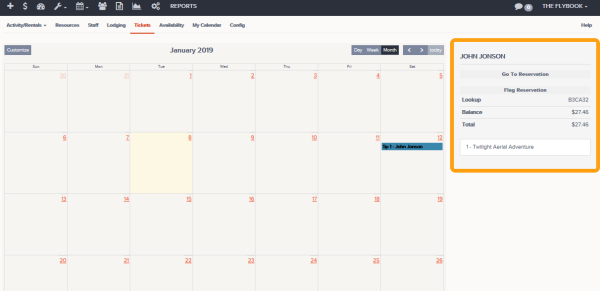
- Go To Reservation
- Flag Reservation (Remove Flag)
- Create Reservation (You can create a reservation by clicking on a date month view)
- This info will be available when a reservation is clicked
- Lookup Code
- Balance
- Total
- Tickets