When Does My Invoice Become Locked?
Invoices will automatically lock 1 month after the end date of the last event on the reservation.
Manually Unlocking an Invoice
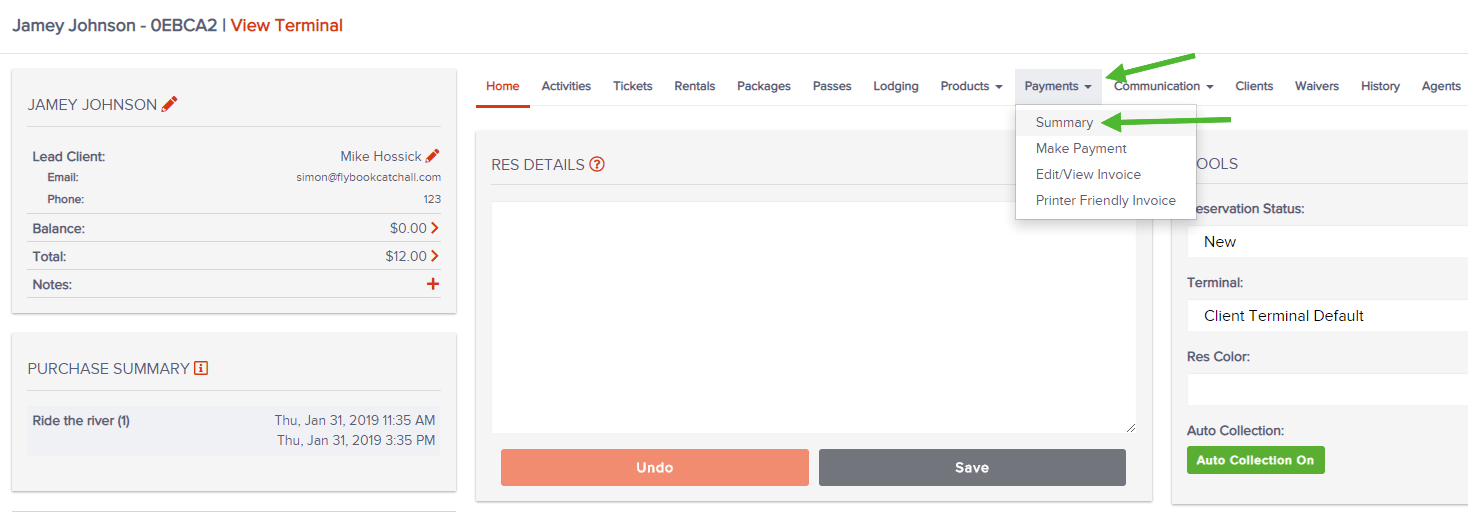
1. Go to Payments > Summary
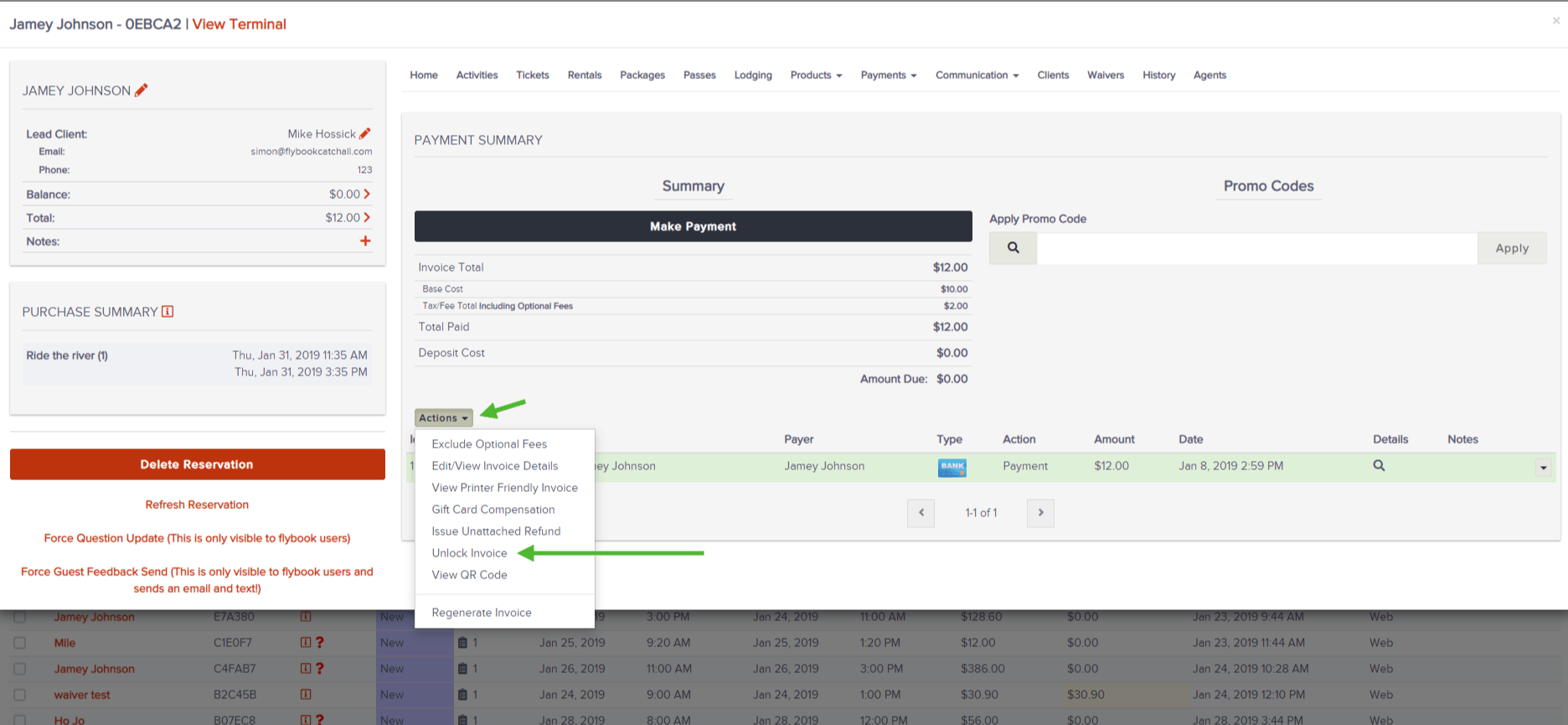
2. Select Actions dropdown > Unlock Invoice
Note: you may need to regenerate the invoice from the Actions dropdown or refresh the reservation (on far left - in RED) if the information is out of date following a recent change