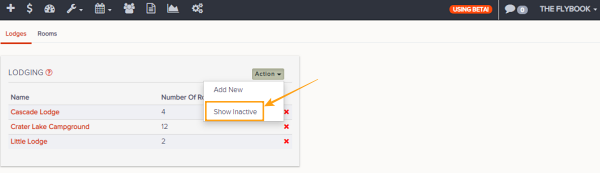
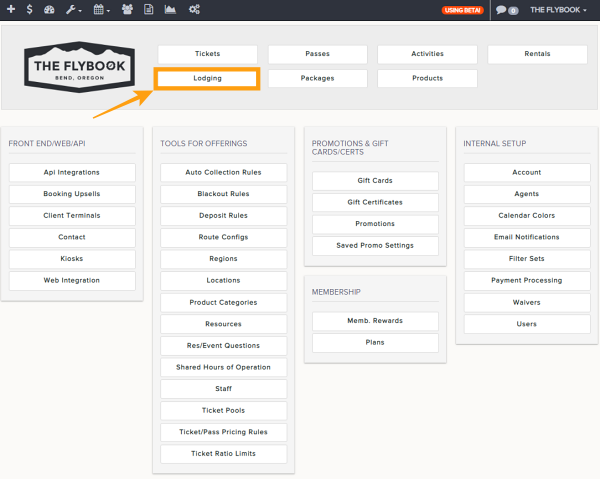
Navigation: Setup>>Lodging
If you would like to inactivate a lodge or room follow the steps below
- Go to Setup then to Lodging
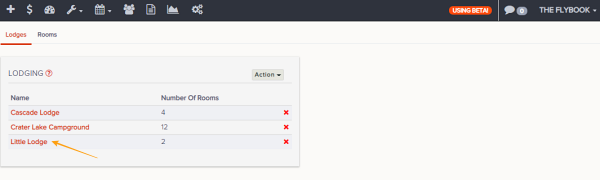
- Click on the Lodge or Room you want to inactivate
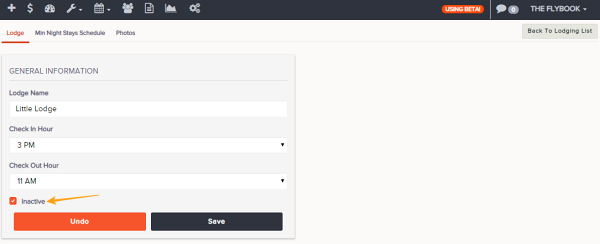
- Click on the Inactivate checkbox located at the bottom of General Information tab
- Save changes
If you would like to reactivate a inactive lodge or room follow the steps below
- Go to Setup then to Lodging
- Click on the Lodge or Room Tab
- Click on the Action button at the top right of the list
- Select Show Inactive
- Click into the desired inactive room or lodge and un-check the inactive checkbox
- Save changes
Show Inactive