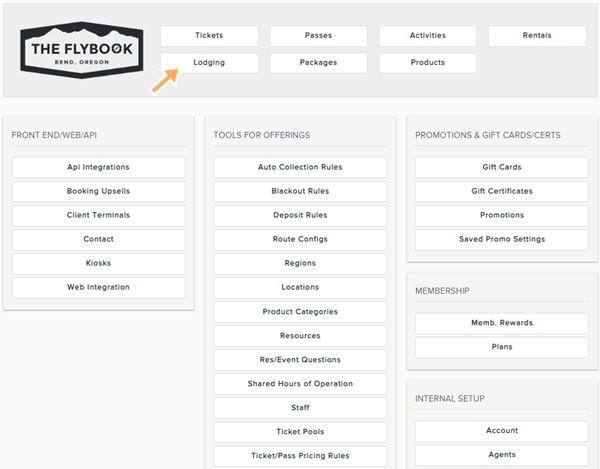
Navigation: Setup > Lodging > Rooms
If you would like to update multiple rooms at once follow the steps below.
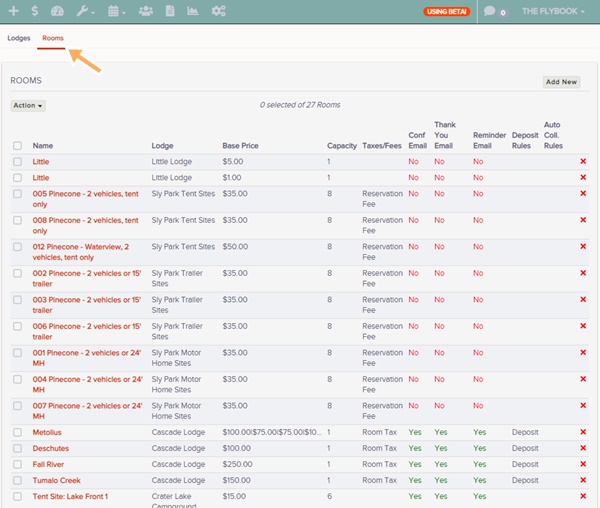
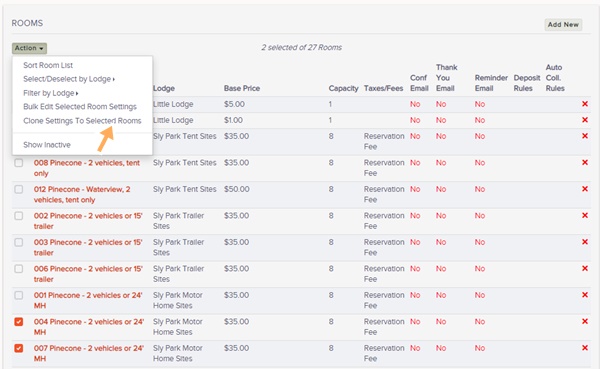
- Go to Lodging and then the Rooms tab
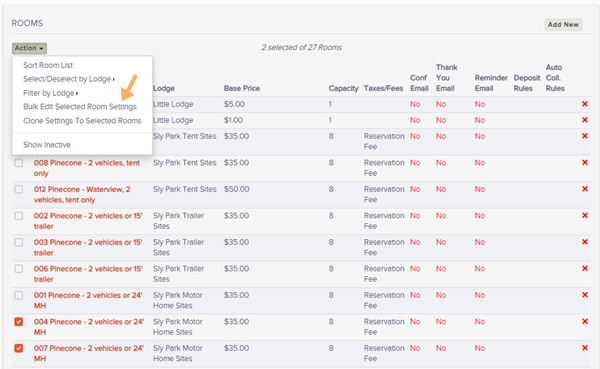
- Select the rooms you would like to update
- Click Action button
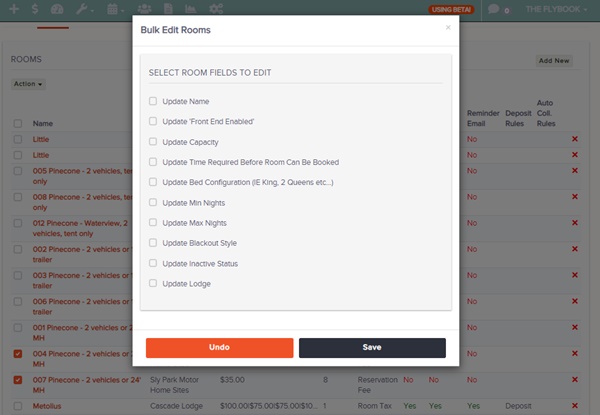
- Select the Bulk Edit Selected Room Settings from here you will be able to edit these parameters of the room
- Name
- Front End Enabled
- Capacity
- Time Required Before Room Can Be Booked
- Bed Configuration
- Min Nights
- Max Nights
- Blackout Style
- Inactive Status
- Lodge Assignment
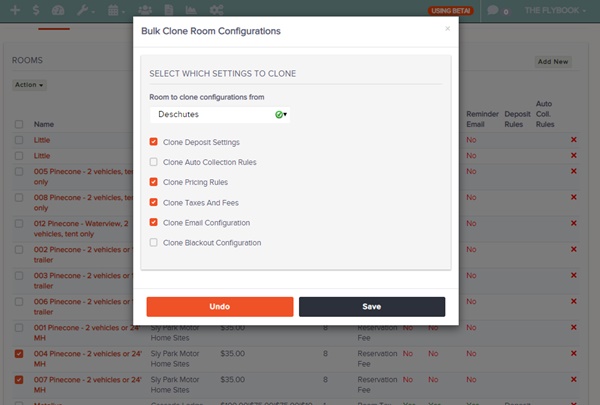
- Select Clone Settings to Selected Rooms from here you will be able to clone these parameters from a select room onto the selected rooms
- Deposit Settings
- Auto Collection Rules
- Pricing Rules
- Taxes Fees
- Email Configuration
- Blackout Configuration
- Always Remember to Save Changes
A quick demo: